
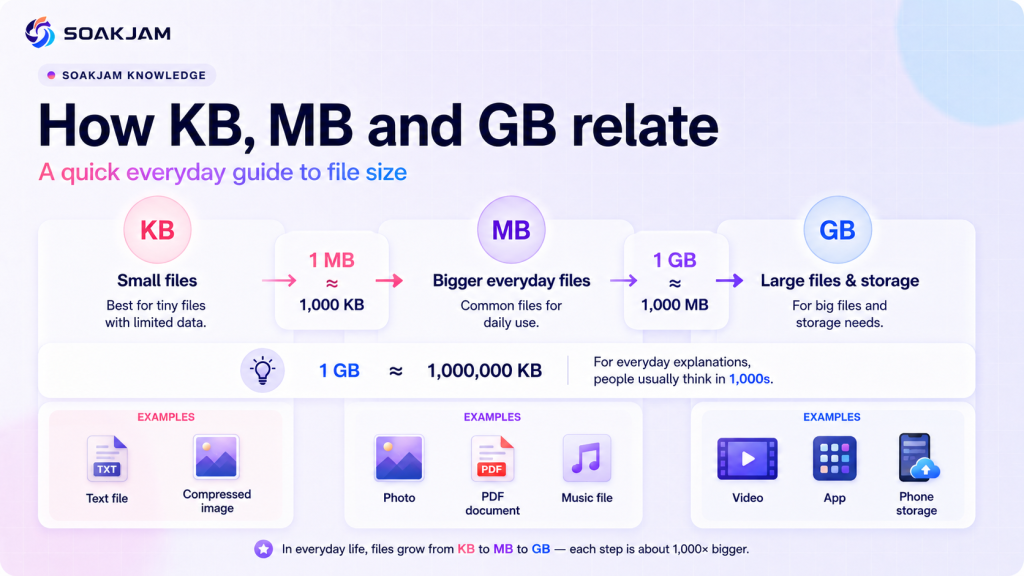
KB vs MB vs GB are labels for amounts of digital data. They appear beside documents, photographs, videos, app downloads, email attachments and device storage. Reading them correctly helps you judge whether a file will fit, how long a transfer may take and why two screens can report different capacities.
The basic order is easy: a kilobyte is smaller than a megabyte, and a megabyte is smaller than a gigabyte. The detail that causes confusion is the counting system. Decimal units use steps of 1,000, while binary units use steps of 1,024 and have precise names such as KiB, MiB and GiB.
Quick answer: Using decimal storage measurements, 1 MB equals 1,000 KB and 1 GB equals 1,000 MB. Binary measurements use 1,024 and are more precisely written as KiB, MiB and GiB.
What Are Bits and Bytes?
A bit is a binary digit with a value of 0 or 1. A byte contains eight bits and is a common basic unit for file size and storage. The capitalisation matters:
- b usually means bit;
- B usually means byte;
- Mb means megabit; and
- MB means megabyte.
Internet providers commonly describe connection speed in megabits per second, written as Mbps. File managers usually display a download in megabytes, written as MB. Because one byte contains eight bits, a 40 Mbps connection has a theoretical ceiling of 5 MB per second before protocol overhead, congestion, Wi-Fi conditions and server limits are considered.
Do not treat Mbps and MB/s as interchangeable. That difference of eight is often the reason a download appears slower than the number in an internet plan.
For the divide-by-eight conversion and practical download examples, read our guide to Mbps vs MBps
What Do KB, MB and GB Mean?
The words kilobyte, megabyte and gigabyte use prefixes that represent increasing amounts. International System of Units prefixes define kilo as 103, mega as 106 and giga as 109. Applied to bytes, the decimal values are:
| Common label | Name | Decimal value | Typical use |
|---|---|---|---|
| B | Byte | 8 bits | Very small data quantities |
| KB or strictly kB | Kilobyte | 1,000 bytes | Small documents, icons and upload limits |
| MB | Megabyte | 1,000,000 bytes | Photos, PDFs, audio and everyday downloads |
| GB | Gigabyte | 1,000,000,000 bytes | Videos, apps and storage capacity |
The formal SI symbol for kilobyte is kB, with a lowercase k. However, many websites, operating systems and upload forms display KB. This guide uses KB when discussing familiar screen labels and kB when the strict SI notation itself matters.
Examples such as “a photo is always 4 MB” are only rough illustrations. Actual file size depends on the content, format, compression and settings used to create the file.
Why Does 1 GB Sometimes Equal 1,000 MB and Sometimes 1,024 MB?
Computers work naturally with powers of two. For years, software often used KB, MB and GB labels for quantities based on 1,024. Standards organisations introduced distinct binary prefixes so the two systems could be stated unambiguously:
| System | Unit | Bytes | Relationship |
|---|---|---|---|
| Decimal | 1 kB | 1,000 | 103 bytes |
| Binary | 1 KiB | 1,024 | 210 bytes |
| Decimal | 1 MB | 1,000,000 | 1,000 kB |
| Binary | 1 MiB | 1,048,576 | 1,024 KiB |
| Decimal | 1 GB | 1,000,000,000 | 1,000 MB |
| Binary | 1 GiB | 1,073,741,824 | 1,024 MiB |
The NIST binary-prefix reference distinguishes KiB, MiB and GiB from decimal kB, MB and GB. The International Electrotechnical Commission likewise states that 1,000 bytes is a kilobyte and 1,024 bytes is a kibibyte.
Some interfaces still show a decimal-looking label while calculating a binary value. When exact limits or billing quantities matter, consult the service’s documentation instead of guessing from the abbreviation alone.
Why Can a Drive Show Less Storage?
A storage manufacturer may advertise a drive using decimal gigabytes. An operating system may report the same bytes using binary units, reserve space for formatting or system files, or use a different label for its calculation. These choices make the displayed number look smaller even though the physical bytes have not disappeared.
For example, a manufacturer’s decimal 500 GB represents 500,000,000,000 bytes. Dividing that number by 1,073,741,824 gives about 465.7 GiB. Software that calculates GiB but displays “GB” may therefore show roughly 466 GB before other reserved space is considered.
Available storage is also lower than nominal capacity because the operating system, recovery files, preinstalled apps, formatting and updates consume space. Apple and Microsoft both explain in their product documentation that stated capacity and space available to the user can differ.
How to Convert KB, MB and GB
Start by choosing one system and keep it throughout the calculation. For decimal KB vs MB vs GB conversions:
- multiply MB by 1,000 to get KB;
- divide KB by 1,000 to get MB;
- multiply GB by 1,000 to get MB; and
- divide MB by 1,000 to get GB.
Therefore, 3.5 MB equals 3,500 KB in decimal measurement, while 500 KB equals 0.5 MB. A 2 GB file equals 2,000 MB.
For binary conversions, use 1,024 and the correct names. Multiply MiB by 1,024 to get KiB, or divide KiB by 1,024 to get MiB. One GiB equals 1,024 MiB.
Avoid converting a number labelled MB with a binary formula unless the software confirms that it really means MiB. Mixing 1,000 and 1,024 produces small differences at first and increasingly large differences at higher capacities.
Practical Examples for KB vs MB vs GB
Real tasks make KB vs MB vs GB easier to understand than isolated definitions. The following examples use decimal units because websites and storage products commonly state ordinary consumer limits that way. If an operating system explicitly reports KiB, MiB or GiB, use the binary relationships instead.
Checking a 500 KB upload limit
Suppose a form accepts a photograph up to 500 KB. A file reported as 420 KB is below the stated maximum, while a 1.2 MB file is about 1,200 KB and therefore too large. Compressing the 1.2 MB copy to 480 KB leaves a useful margin for a portal that checks the exact byte count.
Estimating document storage
If 100 PDFs average 2.5 MB each, their combined size is approximately 250 MB. Four similar groups would use about 1,000 MB, or 1 GB in decimal measurement. A folder may occupy slightly more disk space because file systems organise data in allocation units and store supporting information.
Estimating photo capacity
Imagine that a phone has 20 GB of genuinely available space and each exported photo averages 5 MB. A simple estimate gives 20,000 MB ÷ 5 MB, or about 4,000 photos. The real total will differ as camera images vary and thumbnails, editing data, videos and other files share the same storage.
Comparing two rounded displays
One file may contain 1,040,000 bytes and another 1,490,000 bytes. An interface that rounds both to one decimal place might display 1.0 MB and 1.5 MB, while another interface may use a binary calculation and show different figures. The byte count provides the clearest comparison when a limit is extremely close.
A KB vs MB vs GB calculator can speed up arithmetic, but it still needs the correct base. Look for a choice between decimal and binary units, and check whether the result says MB or MiB. A precise-looking number is not reliable if the calculator silently uses the wrong convention.
These KB vs MB vs GB estimates help with planning, not with predicting exact file behaviour. Compression, file-system overhead, service processing and rounding can all change what a device displays. For a strict application or official submission, follow the portal’s own requirement and test the final file rather than relying only on a general example.
How to Estimate Download or Upload Time
File size and connection speed use related but different units. A practical estimate requires converting bytes to bits because broadband speed is normally stated in bits per second.
For a decimal estimate:
- Multiply the file size in MB by 8 to get megabits.
- Divide the result by the connection speed in Mbps.
A 100 MB file contains 800 megabits. At 20 Mbps, the ideal transfer time is 800 ÷ 20, or 40 seconds. Real transfers usually take longer because speed can fluctuate and the network must carry protocol data in addition to the file.
Upload speed may also be much lower than download speed. Use the measured upload rate when estimating a cloud backup, email attachment or form submission. The FCC describes Mbps as the standard measure used for broadband speed, but a speed-test result remains a snapshot rather than a guaranteed rate for every service.
File Size, Dimensions and Resolution Are Different
Pixel dimensions describe the width and height of an image, such as 1,200 × 800 pixels. File size describes how many bytes the saved file occupies. Resolution can refer to pixel dimensions, pixel density or print density depending on context.
Two images with identical dimensions can have different file sizes because their formats, compression levels, colour information, metadata and visual detail differ. A simple graphic may compress efficiently, while a photograph with noise and fine texture may require more data.
Reducing dimensions often lowers file size because fewer pixels remain, but it is not the only method. Export settings and format choice also matter. Read the image resolution guide before resizing an important image.
Why PDFs, Photos and Videos Vary in Size
A text-based PDF can be small because characters and layout instructions need relatively little data. Scanned pages behave more like photographs, so a long colour scan can become much larger. Embedded fonts, high-resolution images and attachments may add further size.
Photographs vary according to dimensions, detail and compression. JPG commonly creates manageable photo files by using lossy compression. PNG preserves raster data losslessly and can be excellent for screenshots or graphics, but a detailed PNG photograph may be much larger.
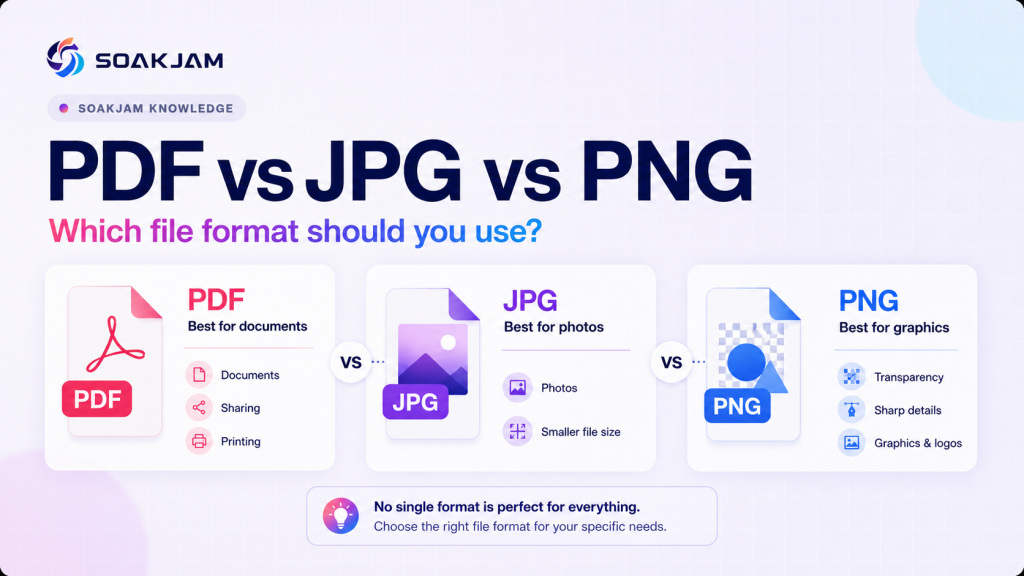
Video adds duration, frame dimensions, frame rate, audio and codec settings. A short highly compressed clip may use less space than a longer clip at the same dimensions. For a format comparison, see PDF vs JPG vs PNG.
KB vs MB vs GB for Upload Limits
An instruction such as “JPG, maximum 200 KB” contains two separate requirements. The file must use the requested format, and its displayed size must stay at or below the limit. A correct extension does not compensate for an oversized file.
Use these steps before submitting:
- Confirm the accepted file format.
- Check whether the limit is in KB, MB or GB.
- Inspect the file’s actual size in its properties or information panel.
- Compress or resize a copy if necessary.
- Open the final copy and check clarity before uploading.
If a portal says 1 MB but rejects a file shown as exactly 1 MB, create a slightly smaller copy. The portal may apply a strict byte limit, use a different conversion convention or add validation rules that are not visible in the brief instruction.
SOAKJAM’s Image Compressor & Resizer can reduce an image copy for an upload. Keep the original separately, especially for identification, printing or future editing.
Compression Does Not Have One Fixed Result
Compression stores data more efficiently, but the result depends on the source. Lossless methods preserve the decoded information, while lossy methods deliberately remove some information to achieve a smaller file.
A photo might fall from 4 MB to 700 KB after resizing and JPG compression, but that is an example rather than a promise. Another image may remain larger or show unacceptable artefacts at the same settings. Compare the result visually instead of choosing a percentage without checking.
Repeatedly saving a lossy file can reduce quality further. Work from the best available original, export a delivery copy and keep the original unchanged. Sensitive documents also deserve a privacy check because metadata or readable personal details can remain after compression.
Common File-Size Mistakes
- Confusing MB with Mb: megabytes and megabits differ by a factor of eight.
- Assuming every MB equals 1,024 KB: 1,024 applies precisely to MiB and KiB.
- Comparing rounded labels: two files shown as 1.0 MB can contain different byte counts.
- Changing only the extension: renaming a file does not convert its format or reduce its size.
- Ignoring upload speed: a large backup can take much longer to send than to download.
- Compressing the only original: strong settings can permanently remove useful detail.
- Expecting advertised capacity to equal free space: formatting and system data consume part of a device.
A Practical File-Size Checklist
- Read the complete requirement, including format, dimensions and size.
- Check whether the number describes storage, a file or a transfer speed.
- Notice the capital B for bytes and lowercase b for bits.
- Use decimal conversions unless the service specifies binary units.
- Leave a small margin below a strict upload limit.
- Open compressed or converted files and inspect their quality.
- Retain an original or backup before deleting or recompressing anything important.
Frequently Asked Questions About KB, MB and GB
Which is bigger, KB or MB?
MB is bigger. In decimal measurement, 1 MB equals 1,000 KB. In binary measurement, 1 MiB equals 1,024 KiB.
Which is bigger, MB or GB?
GB is bigger. One decimal GB equals 1,000 MB, while one binary GiB equals 1,024 MiB.
Is 1 MB always 1,024 KB?
No. The precise decimal relationship is 1 MB = 1,000 kB. The 1,024 relationship belongs to the binary units: 1 MiB = 1,024 KiB. Some older or informal interfaces use MB and KB labels for binary values, so documentation matters when exact bytes are important.
Why does a file size change after uploading?
A service may recompress, resize or re-encode the file. It may also round the displayed number differently or calculate with another unit convention. Compare actual bytes when the interface provides them.
How many photos fit in 1 GB?
There is no fixed answer because photo sizes vary. In a simple decimal estimate, 1 GB could hold about 250 photos averaging 4 MB each, before storage overhead. Larger originals would reduce that count, while smaller compressed copies would increase it.
Does a smaller file always mean lower quality?
No. Efficient formats, removal of unnecessary metadata and lossless compression can reduce size without visible loss. Resizing and lossy compression can remove detail, so the final file should be checked at its intended viewing or print size.
Which Is Larger: KB or GB?
GB is much larger than KB. Using decimal measurements, 1 GB equals 1,000 MB, while 1 MB equals 1,000 KB. Therefore, 1 GB contains approximately 1,000,000 KB.
Is 1 MB a Large File?
For modern phones and computers, 1 MB is generally a small file. However, it may still be too large for websites that impose strict limits such as 200 KB or 500 KB. Whether 1 MB is considered large depends on the upload limit and the type of file.
How Big Is a 20 MB File?
A 20 MB file is twenty times larger than a 1 MB file. It is small compared with phone or computer storage, but it may exceed many document-upload and email-attachment limits. Depending on compression, 20 MB could contain a detailed PDF, several photographs, an audio file or a short video.
Ready to explore larger units? Continue with our guide to what comes after a terabyte, including petabytes, exabytes, zettabytes, yottabytes and beyond.
Final Summary
KB vs MB vs GB becomes straightforward once the measurement system is clear. Decimal KB, MB and GB increase by 1,000. Binary KiB, MiB and GiB increase by 1,024. Bits measure network rates, while bytes commonly describe stored file sizes.
For everyday decisions, compare the actual file with the stated limit and leave a little room below the maximum. For exact calculations, use the unit names and byte values documented by the device, operating system or service.
When two displays disagree, compare their unit definitions and underlying byte counts. The difference often comes from decimal-versus-binary calculation, rounding or space already used by system data.
Transparency
Sources & references
- BIPM — The International System of Units (SI Brochure, 9th edition)
- NIST — Prefixes for binary multiples
- NIST — Metric SI prefixes
- IEC — Prefixes for binary multiples
- FCC — Broadband Speed Guide
- Apple Support — How storage capacity is measured on Apple devices
- Microsoft Support — Surface storage options and hard drive sizes
Reviewed and updated
Editorial information
SOAKJAM articles are designed for clarity, useful context and transparent sourcing. Important facts should be checked against the linked primary sources.
Found an error, outdated detail or a useful source we should consider?