
PDF vs JPG vs PNG is not a contest with one universal winner. PDF is primarily a document format, while JPG and PNG are raster image formats. The right choice depends on whether you need multiple pages, selectable text, a photograph, sharp graphics, transparency, a small upload or a print-ready layout.
A file can look similar on screen in all three formats yet behave very differently when edited, printed, compressed or uploaded. Understanding those differences prevents blurry text, missing transparency, unnecessary file size and rejected online submissions.
Quick answer: Use PDF for organised documents and multiple pages, JPG for photographs and practical sharing, and PNG for screenshots, logos, diagrams and transparent backgrounds. Always follow the receiving website or printer’s exact format requirements.
What Is a PDF File?
PDF stands for Portable Document Format. It is a document container designed to represent pages consistently across different software and devices. The ISO 32000 standard defines PDF as a form for exchanging and viewing electronic documents independently of the environment in which they were created, viewed or printed.
A PDF can contain:
- one page or many pages;
- selectable text and embedded fonts;
- photographs and scanned page images;
- vector graphics;
- links, bookmarks and annotations;
- form fields; and
- document metadata.
This flexibility makes PDF useful for reports, invoices, application forms, manuals, certificates, contracts and documents intended for printing.
A PDF is not automatically searchable
A digitally exported PDF can preserve real text that people can select, copy and search. A scanned PDF may contain only photographs of pages. Use optical character recognition, or OCR, to add a searchable text layer to an image-only scan.
Therefore, changing several JPG scans into one PDF organises the pages, but it does not automatically improve their clarity or recognise their text.
What Is a JPG or JPEG File?
JPG and JPEG normally refer to the same format. JPEG is named after the Joint Photographic Experts Group, while the three-letter .jpg extension became common on systems that historically limited extensions to three characters.
The JPEG standard targets continuous-tone images such as photographs. It can compress detailed pictures efficiently by discarding some information that human vision may notice less. Experts call this lossy compression.
A moderate quality setting can create a much smaller file that still looks good. Strong compression may introduce blockiness, colour smearing or halos around edges. Repeatedly opening, editing and saving a JPG can add further loss because the image may be compressed again.
JPG works well for
- camera photographs;
- website and social-media photos;
- email attachments;
- passport or ID photos when JPG is requested;
- online forms that accept JPEG; and
- photo prints exported at a suitable quality.
Standard JPG does not support an alpha channel for transparent backgrounds. Areas that were transparent must be flattened onto a solid colour during conversion.
What Is a PNG File?
PNG stands for Portable Network Graphics. The W3C specification describes it as a portable, well-compressed format for lossless raster images. Lossless compression allows the decoded pixels to match the encoded pixel data instead of deliberately discarding detail to reduce size.
PNG supports greyscale, indexed-colour and true-colour images, with optional alpha transparency. That transparency can range from fully opaque to partially or fully transparent.
PNG works well for
- screenshots and interface captures;
- logos and icons;
- charts and diagrams;
- graphics containing small text or sharp edges;
- images that require transparent or semi-transparent areas; and
- graphics that will be edited and saved repeatedly.
PNG is not always smaller or visually better. A detailed photograph saved as PNG can be much larger than a carefully compressed JPG without offering a noticeable benefit for ordinary viewing.
Main Differences Between PDF, JPG and PNG

| Feature | JPG/JPEG | PNG | |
|---|---|---|---|
| Primary purpose | Documents and pages | Photographs | Graphics and screenshots |
| Structure | Document container | Raster image | Raster image |
| Multiple pages | Yes | No | No, except related formats such as APNG are used for animation rather than documents |
| Compression | Depends on contained elements and settings | Usually lossy | Lossless |
| Transparency | Can contain transparent elements | No standard alpha transparency | Yes |
| Select or search text | Possible when real text or OCR is present | No; text becomes pixels | No; text becomes pixels |
| Typical strength | Layout, pages and mixed content | Efficient photo size | Sharp edges and alpha transparency |
PDF vs JPG vs PNG and Accessibility
In a PDF vs JPG vs PNG decision, accessibility depends on more than the extension. A well-prepared PDF can include real text, headings, language information, reading order and descriptions for meaningful images. A PDF made only from page photographs may provide none of those features until someone adds OCR and proper document structure.
JPG and PNG files store visual pixels rather than a document’s semantic headings or paragraphs. When they appear on a website, the surrounding HTML should supply appropriate alternative text or a caption. Important instructions should not exist only inside an image when accessible text can also be provided.
Converting an accessible source document into page images removes selectable text and much of its structure. For public information, education, employment or official services, keep the source text available and test the final document with the tools used by its intended audience.
PDF vs JPG vs PNG and File Extensions
A filename extension helps software guess the format, but renaming photo.png to photo.jpg does not change the encoded data. The file can then carry a misleading name, fail to open or be rejected by a portal that inspects its real type.
A proper converter decodes the source and encodes a new file in the selected format. After conversion, confirm that the extension matches, open the result and check its page count, dimensions, transparency, quality and file size.
Some systems also use a MIME type, such as application/pdf, image/jpeg or image/png, to identify uploaded content. If an upload fails despite the correct-looking filename, create a fresh converted copy rather than repeatedly changing its extension.
When Should You Choose PDF?
Choose PDF when the unit you are sharing is a document rather than a single image. Examples include a five-page application, a report with tables, a CV, an invoice or a manual.
PDF is especially useful when:
- page order matters;
- several pages should stay in one file;
- fonts, margins and layout must remain consistent;
- the file contains both text and images;
- bookmarks, links or form fields are useful; or
- a printer or organisation explicitly requests PDF.
Do not assume that every PDF is small, editable, accessible or secure. Its behaviour depends on how it was created and what it contains.
When Should You Choose JPG?
Choose JPG for a photograph when transparency is unnecessary and manageable file size matters. Photos contain gradual colour changes and complex detail that JPEG compression often handles efficiently.
Keep the highest-quality original separately. Export a copy at the dimensions and quality required for the website, message or form. If text, signatures or identification details must remain legible, inspect the final file at normal size before submitting it.
Avoid JPG for a logo that needs transparency or a screenshot full of small text and thin lines. Lossy compression can make those edges look dirty even when the overall image appears acceptable.
When Should You Choose PNG?
Choose PNG when exact pixel edges or transparency matter more than achieving the smallest possible photograph. It is often the safest simple choice for screenshots, interface instructions, icons and charts.
PNG also avoids repeated lossy JPEG compression while editing. However, it does not turn a blurry source into a sharp image, and converting an already compressed JPG to PNG cannot restore removed detail.
The current W3C PNG specification documents its lossless storage and optional alpha channel.
PDF vs JPG vs PNG for Online Forms
For online forms, PDF vs JPG vs PNG is decided first by the portal’s instructions. A passport photo field may accept only JPG or PNG, while a certificate or multi-page document field may require PDF.
Check every requirement:
- accepted file extension;
- maximum file size in KB or MB;
- required pixel dimensions;
- page limit;
- orientation and aspect ratio; and
- whether text, stamps and signatures remain readable.
Changing the extension in a filename does not convert the file. Use an actual conversion tool and open the result before uploading it. If the portal says “PDF only,” wrapping an unreadable photo in a PDF will satisfy the extension but not the quality requirement.
Which Format Is Best for Printing?
PDF is commonly preferred for complete documents because it can preserve page size, fonts, vector graphics and image placement. A print-ready PDF still needs suitable fonts, colour settings, bleed and image resolution for the job.
JPG can work well for an individual photograph when exported at high quality and sufficient pixel dimensions. PNG can be appropriate for a sharp graphic, but a professional print provider may request another workflow or colour space.
Always ask the printer for required page dimensions, colour profile, bleed and export preset. Merely choosing PDF does not make low-resolution images inside it suitable for a large print.
Which Format Is Best for Websites?
JPG and PNG have broad browser support. JPG remains practical for photographs; PNG remains practical for transparency and sharp graphics. Modern formats such as WebP and AVIF can offer other compression advantages, but the publishing system and browser support should guide the decision.
PDF is better used as a downloadable document than as the main format for ordinary web-page images. Website owners should provide an informative page title, accessible HTML content where possible and descriptive alt text for images.
Use suitable pixel dimensions instead of uploading a full camera file for a small card. The image resolution guide explains how pixels, PPI and display size differ.
How File Size Differs
In a PDF vs JPG vs PNG comparison, there is no reliable rule that one extension is always smallest. Content and encoding settings determine the result.
High-resolution scans, embedded fonts or many pages can make a PDF large. Stronger compression can shrink a JPG photograph, although quality may fall. Meanwhile, a PNG screenshot with flat colours may compress efficiently, while a noisy photograph saved as PNG can be very large.
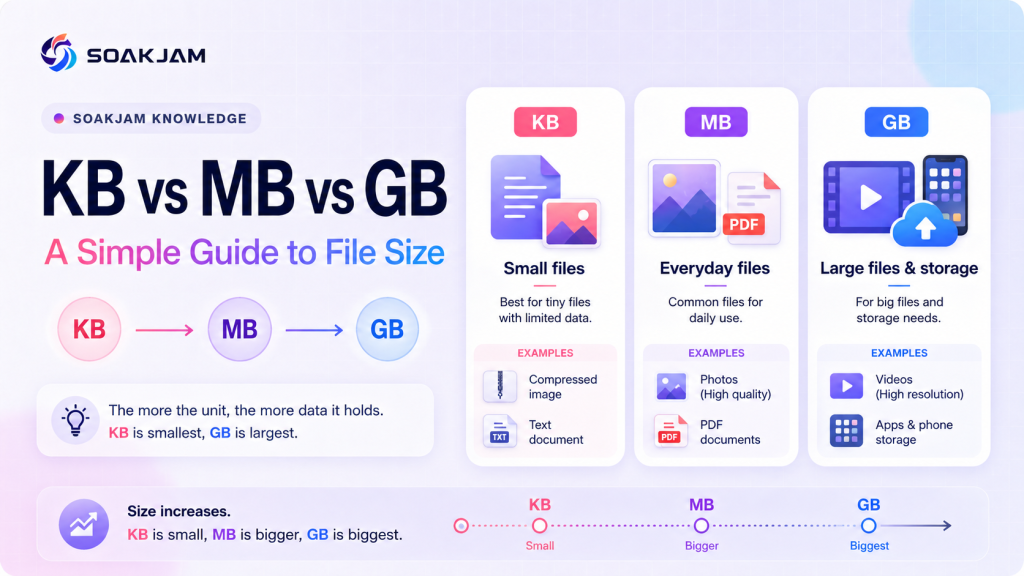
File size can also change with dimensions, colour depth, metadata and software settings. Read KB vs MB vs GB for a simple explanation of storage units and upload limits.
What Happens When You Convert Formats?
Conversion changes how information is represented. It does not automatically improve quality.
JPG to PNG
The new PNG can store its pixels losslessly, but it cannot recreate detail already discarded by JPEG compression. File size may increase without a visible improvement.
PNG to JPG
Transparency must be replaced by a background, and JPEG compression may introduce artefacts. Choose the background colour deliberately before converting a logo or icon.
JPG or PNG to PDF
The converter places one or more images into a document. This can organise pages and make printing easier, but it does not add resolution or selectable text.
PDF to JPG or PNG
The converter rasterises each selected PDF page into pixels. Selectable text, vector shapes, links, forms and layers may no longer behave as document elements. Choose enough output resolution for the intended use.
Use the SOAKJAM Image Format Converter for supported browser-based image conversions, or combine images into a PDF. Review the output and retain the original.
Quality, Editing and Repeated Saving
A conversion workflow should begin with the best available original. Repeatedly editing and saving a JPG can accumulate compression damage. PNG avoids that particular lossy cycle, although resizing, sharpening and other edits can still change pixels.
PDF quality depends on its contents. Exporting a word-processing document directly to PDF can preserve real text and vector shapes, while printing screenshots of every page to PDF creates an image-based result. Use direct export when available.
Keep an editable source document or original image separately. PDF, JPG and PNG are often delivery formats rather than ideal master files for future revision.
Privacy and Safety Before Sharing
Files may include metadata such as author names, timestamps, camera details or location information. PDFs may also contain comments, hidden layers, attachments or form data. Review sensitive files before sharing them publicly.
Do not assume that flattening a document to JPG or PNG safely removes every private detail. Visible information remains, and software may retain metadata. Redact confidential content properly rather than drawing a removable shape over it.
When using an online converter, consider whether the file contains identity, employment, banking, medical or legal information. A browser-based tool that processes files locally can reduce unnecessary uploading, but you should still verify the tool’s behaviour and keep backups.
A Simple Decision Checklist
- Is it one image or an organised document?
- Does the receiver require PDF, JPG or PNG?
- Must text remain selectable or searchable?
- Do you need multiple pages?
- Is transparent background support required?
- Are sharp text and diagram edges more important than photo compression?
- What are the maximum file size and pixel dimensions?
- Will the file be edited again?
- Have you checked quality and private information in the final output?
For a multi-page document, begin with PDF. Choose JPG for a photograph. Start with PNG for a screenshot, logo or transparent graphic—then adjust only when the receiving system requires something different.
Frequently Asked Questions
Is JPG the same as JPEG?
For ordinary use, yes. .jpg and .jpeg normally identify files using JPEG encoding. The shorter extension became common because of older filename limitations.
Does converting JPG to PDF improve quality?
No. It places the existing image inside a PDF container. The document may be easier to organise or print, but missing detail and compression artefacts remain.
Does PNG always have better quality than JPG?
No. PNG stores pixels losslessly, while JPG can represent photographs very efficiently. A well-made JPG may look excellent and be much smaller than a PNG version of the same photo.
Can a PDF contain JPG and PNG images?
Yes. A PDF can contain raster images along with text, fonts and vector graphics. The final quality and size depend on how those elements were embedded or compressed.
Which format is best for a scanned document?
Use PDF when pages need to stay together or the receiver requests a document. Use JPG or PNG when a system requests individual page images. Make sure every page is readable and apply OCR when searchable text is required.
Can I rename a PNG file to JPG?
Renaming the extension does not convert the encoded data and may make software or upload systems reject the file. Use a converter, then open and inspect the result.
Conclusion
PDF vs JPG vs PNG becomes simple when you identify the job first. PDF keeps pages and mixed document content together. JPG efficiently stores photographs. PNG preserves sharp raster graphics and supports transparency.
Choose the receiver’s required format, preserve the original and inspect the converted copy for clarity, file size, transparency, searchable text and privacy. The correct format is the one that keeps the information useful without adding unnecessary size or losing features that the task requires.
Transparency
Sources & references
Editorially reviewed
Editorial information
SOAKJAM articles are designed for clarity, useful context and transparent sourcing. Important facts should be checked against the linked primary sources.
Found an error, outdated detail or a useful source we should consider?