

A passkey lets you sign in to a website or app with the same fingerprint, face scan, PIN or pattern used to unlock a trusted device. There is no password to remember, type or reuse. Behind that familiar action is public-key cryptography designed to resist the fake login pages that steal ordinary passwords.
Passkeys are appearing across phones, computers, password managers and major online services. The change can feel confusing because “passwordless” does not mean “security-free,” and the face or fingerprint is not normally sent to the website. The device proves that it holds a cryptographic credential created for that specific service.
Quick answer: A passkey is a digital sign-in credential made from a cryptographic key pair. The website stores a public key. Your phone, computer or credential provider protects the matching private key. When you approve a login with your device unlock, the private key signs a challenge. The site verifies the signature without receiving a reusable secret.
What Is a Passkey? Key Facts at a Glance
| Question | Passkey answer |
|---|---|
| What does the website store? | A public key and account information |
| What stays protected? | The matching private key |
| How do you approve sign-in? | Device PIN, pattern, fingerprint, face recognition or security key action |
| Can it be typed into a fake site? | No; the credential is bound to the legitimate site or app |
| Can it work on another device? | Yes, through secure synchronization, a hardware key or cross-device sign-in |
The FIDO Alliance defines passkeys as password replacements based on FIDO standards. On the web, the underlying authentication is provided through Web Authentication, or WebAuthn.
How a passkey is created
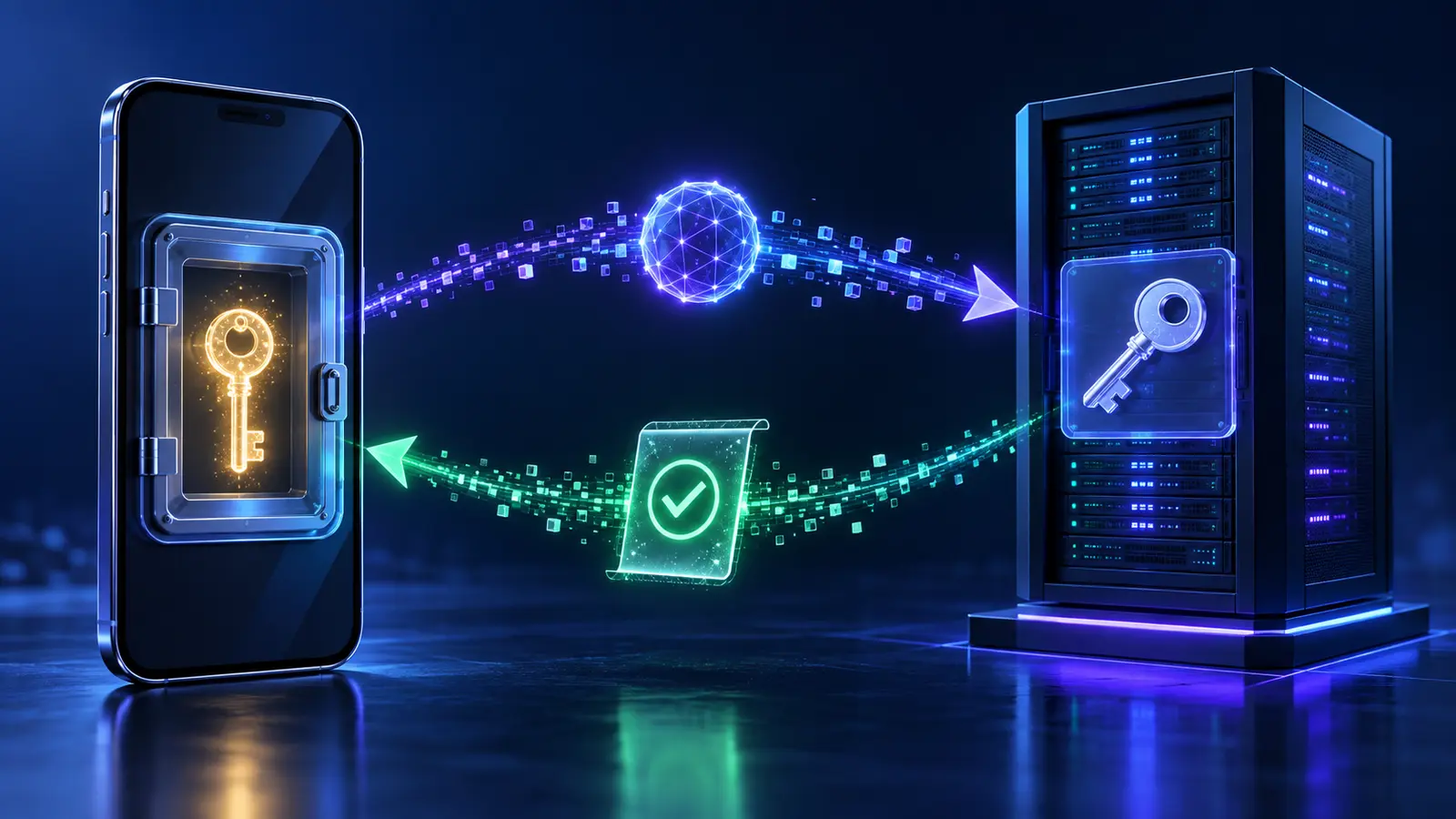
When a service offers “Create a passkey,” the website asks the operating system or credential manager to register a new credential. The device creates two mathematically related keys. The public key is sent to the service. The private key remains inside the device’s secure hardware or the protected credential provider.
The pair is unique to that account and service. Creating a passkey for one shopping site does not give the site a key that works at a bank, email service or social network. This separation removes password reuse, one of the main ways a breach at one service can lead to account takeover elsewhere.
The service also records an identifier that helps find the correct credential later. It does not receive a copy of your fingerprint or face template from the passkey process. Biometric matching is normally performed locally by the operating system to unlock use of the private key.
What happens during sign-in?
- The website sends a fresh, random challenge to the device.
- The device confirms that the request belongs to the correct website or app.
- You approve with the device-unlock method.
- The private key signs the challenge without leaving its protected storage.
- The website uses the stored public key to verify the signature.
Because the challenge changes, a captured response cannot simply be replayed. Because the private key is never sent, the server database does not contain the reusable secret needed to impersonate the user. The service can still suffer other breaches, but a stolen public key cannot be used like a stolen password.
Why passkeys resist phishing
A password can be entered into any form that looks convincing. A passkey is associated with the digital identity of the real website, called the relying party. A fake domain cannot ask the device to use a passkey registered for the genuine domain. The browser and operating system enforce that relationship.
This origin binding is the central advantage. An attacker might copy a logo, page design and urgent message, but the copied page does not gain the legitimate site’s domain identity. The passkey will not produce the expected signature for it.
CISA recommends phishing-resistant authentication where possible. NIST’s current digital identity guidance explains requirements for cryptographic authenticators and verifier-name binding.
Are passkeys the same as biometrics?
No. A passkey is the cryptographic credential. A fingerprint or face scan is one possible way to unlock that credential locally. A device PIN or pattern can often do the same job. If biometrics are disabled or unavailable, the passkey may still work through another approved device-unlock method.
This distinction explains why a website does not need to receive biometric data. The website asks for proof from the credential. The operating system decides whether the local user has met the unlock requirement. Exact storage and privacy design vary by platform, so consult the device provider for details.
Synced and device-bound passkeys
A synced passkey is protected and copied across devices through a credential manager, such as a platform account or compatible password manager. This makes recovery and device replacement easier. A device-bound passkey stays on one authenticator, often a hardware security key or a managed device.
| Type | Main benefit | Main consideration |
|---|---|---|
| Synced passkey | Convenient across phones, tablets and computers | Security and recovery depend partly on the provider account |
| Device-bound passkey | Credential does not leave that authenticator | Loss can require a backup authenticator or account recovery |
| Cross-device sign-in | Use a nearby phone to approve login on another screen | Both devices need a supported secure flow and proximity |
Synchronization does not mean that websites receive the private key. The credential provider encrypts and protects it according to its architecture. Apple describes passkeys in iCloud Keychain as end-to-end encrypted; other providers publish their own design and recovery rules.
How cross-device sign-in works
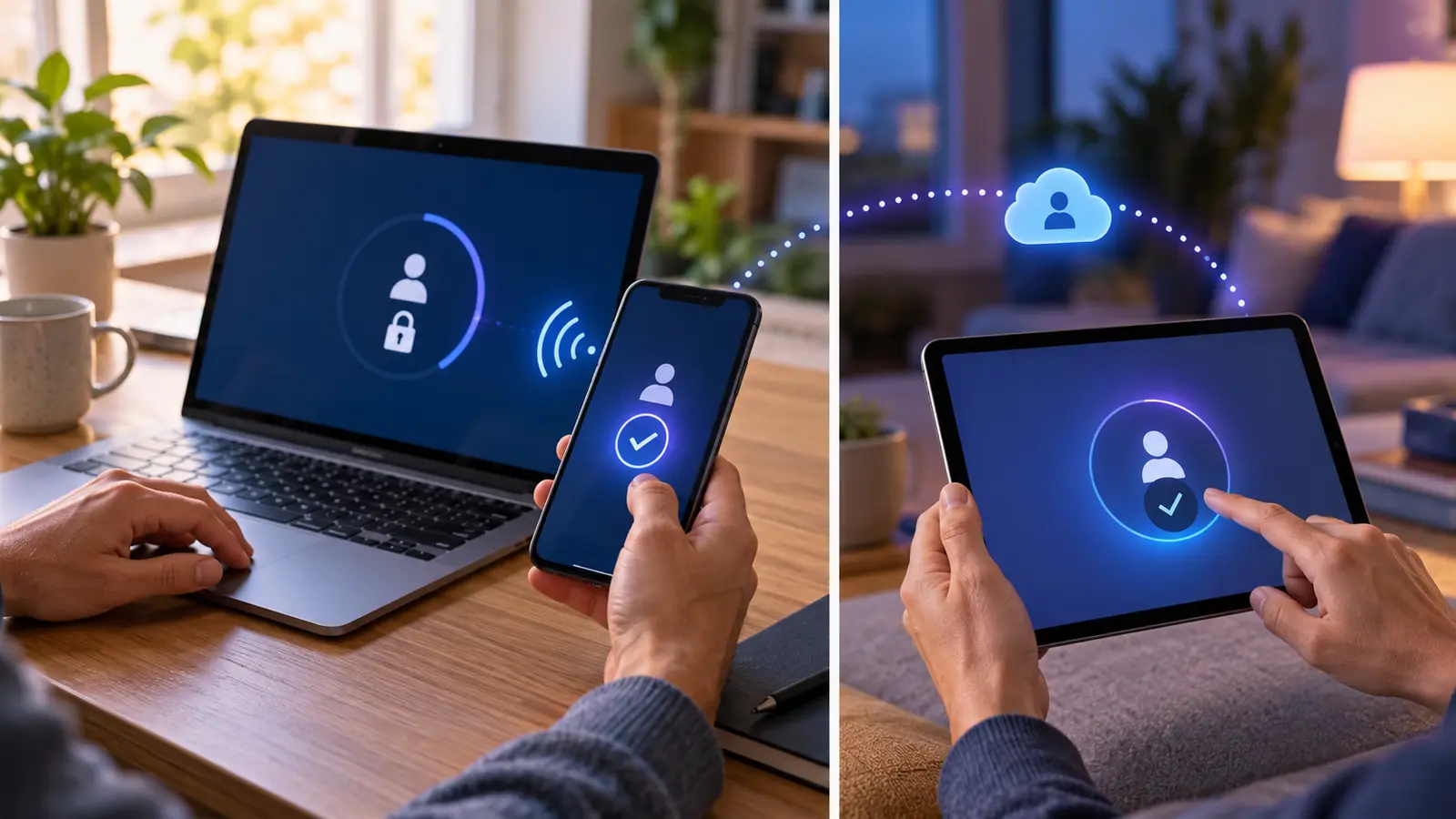
If the passkey is on your phone but the login page is on a different computer, the site may display a QR code. Scanning it starts a protected exchange and verifies that the devices are close, commonly using Bluetooth as part of the proximity check. You then approve on the phone.
The QR code is not the passkey itself. It helps establish the temporary connection. Do not scan an unexpected sign-in code sent by someone else; an attacker may be trying to make you approve their session. Start from the service you intend to use and read every confirmation screen.
What if you lose your phone?
Recovery depends on how the passkey was stored. If it was synchronized, signing in to the credential provider on a replacement device may restore it after the provider’s recovery checks. If it was device-bound, use a backup security key, another registered device or the service’s recovery process.
Before relying on passkeys for an important account:
- Register more than one trusted authenticator when the service allows it.
- Protect the provider account with strong recovery information.
- Store recovery codes offline in a safe place.
- Remove lost devices from account security settings.
- Test recovery before an emergency, especially for business administration accounts.
Can passkeys be shared?
Some systems allow a passkey to be shared with a family or work group through an encrypted credential manager. Sharing can be appropriate for a household service account, but personal accounts should usually remain personal. Shared access should be revoked when roles change.
Organizations need deliberate policies. A team should not copy one person’s private credential informally. Use role-based accounts, managed credential sharing and auditable administrative access.
Passkeys compared with passwords and one-time codes
| Method | Reusable secret? | Phishing resistance | User task |
|---|---|---|---|
| Password | Yes | Low by itself | Remember or retrieve and type |
| SMS or email code | Code is temporary | Limited; a fake site can request it | Copy a code |
| Authenticator app code | Temporary code | Better than password alone, but still phishable | Read and type a code |
| Passkey | No shared secret | Strong when implemented correctly | Approve on a trusted device |
Passkeys do not make every other security layer obsolete. Services still need secure recovery, session management, fraud detection and protection against malicious software. Users still need to protect their device unlock and recognize suspicious recovery requests.
How to start using passkeys safely
- Update the operating system, browser and password manager.
- Secure the main device and provider account with a strong screen lock and reliable recovery method.
- Begin with a familiar service by navigating to its official security settings.
- Create the passkey and record where it is stored.
- Keep the existing password and second factor until the service confirms they are no longer required.
- Add a backup authenticator for important accounts.
- Sign out and test the new login before changing anything else.
Google’s passkey documentation, Apple’s passkey overview and Microsoft’s consumer guidance show that screens and recovery flows differ. Follow the current instructions for the account and device in front of you.
Common passkey misunderstandings
- “My fingerprint is uploaded to every site.” Normally the biometric check stays on the device; the site receives cryptographic proof.
- “A passkey is a short code.” It is a cryptographic credential, not a PIN or one-time code.
- “One passkey opens every account.” Each service and account has a distinct credential.
- “Passkeys cannot be recovered.” Synced systems can restore them, while device-bound setups require planned backups.
- “Passkeys stop all account theft.” They address major authentication attacks, not malware, stolen unlocked devices or weak recovery processes.
Frequently asked questions
Do I need a password after creating a passkey?
It depends on the service. Some accounts remain hybrid, while others allow passkey-only sign-in. Do not delete a fallback until you understand the recovery path.
Can a passkey be stolen in a data breach?
The service stores a public key, which is not the secret needed to sign in. Attackers may still target sessions, recovery systems or user devices.
Can I use a passkey on a shared computer?
Often yes, by approving with a nearby phone. Avoid saving a credential directly on a public computer, and sign out fully afterward.
What happens if the website still asks for a username?
Some implementations use the username to locate the correct credential. Others offer discoverable passkeys that can identify the account automatically.
Are passkeys mature enough to use?
They are standardized and widely supported, but service implementation and recovery quality vary. Start with well-maintained devices and accounts, and keep backups for critical access.
Final summary
A passkey replaces a shared password with a public-private key pair. The public part goes to the service, the private part remains protected, and a device unlock authorizes a fresh cryptographic signature. That design blocks many credential-reuse and phishing attacks.
The safest adoption is planned rather than rushed. Know where the credential is stored, protect the provider account, register a backup, and test recovery. For accounts that still require passwords, see how password managers work. Passkeys make secure sign-in easier, but good device security and careful account recovery still matter.
Transparency
Sources & references
Editorially reviewed
Editorial information
SOAKJAM articles are designed for clarity, useful context and transparent sourcing. Important facts should be checked against the linked primary sources.
Found an error, outdated detail or a useful source we should consider?