
A Nepal Police Clearance Certificate, also called a police clearance report or character certificate, may be requested for foreign employment, immigration, a visa, study, residence, professional licensing or another official purpose. Nepal Police accepts applications through its official Online Police Clearance Registration System (OPCR).
Quick answer: Open the official OPCR portal, choose the correct applicant type, register with your own contact details, complete the personal and address sections, upload the documents required for your situation, review everything carefully and submit. Then monitor the application inside your account and download the certificate when Nepal Police makes it available.
Important: SOAKJAM is an independent guide and is not Nepal Police. Portal fields, document rules and service arrangements can change. Always compare this guide with the official OPCR portal and the current Nepal Police document list before submitting. The screenshots below are privacy-safe educational illustrations, so the live portal may look slightly different.
Who can apply online?
The OPCR service provides separate routes for Nepali citizens, foreign applicants and refugees. Nepali citizens can apply while living in Nepal or while abroad. Your location and applicant type affect which passport, immigration, citizenship, visa or refugee documents the portal may request.
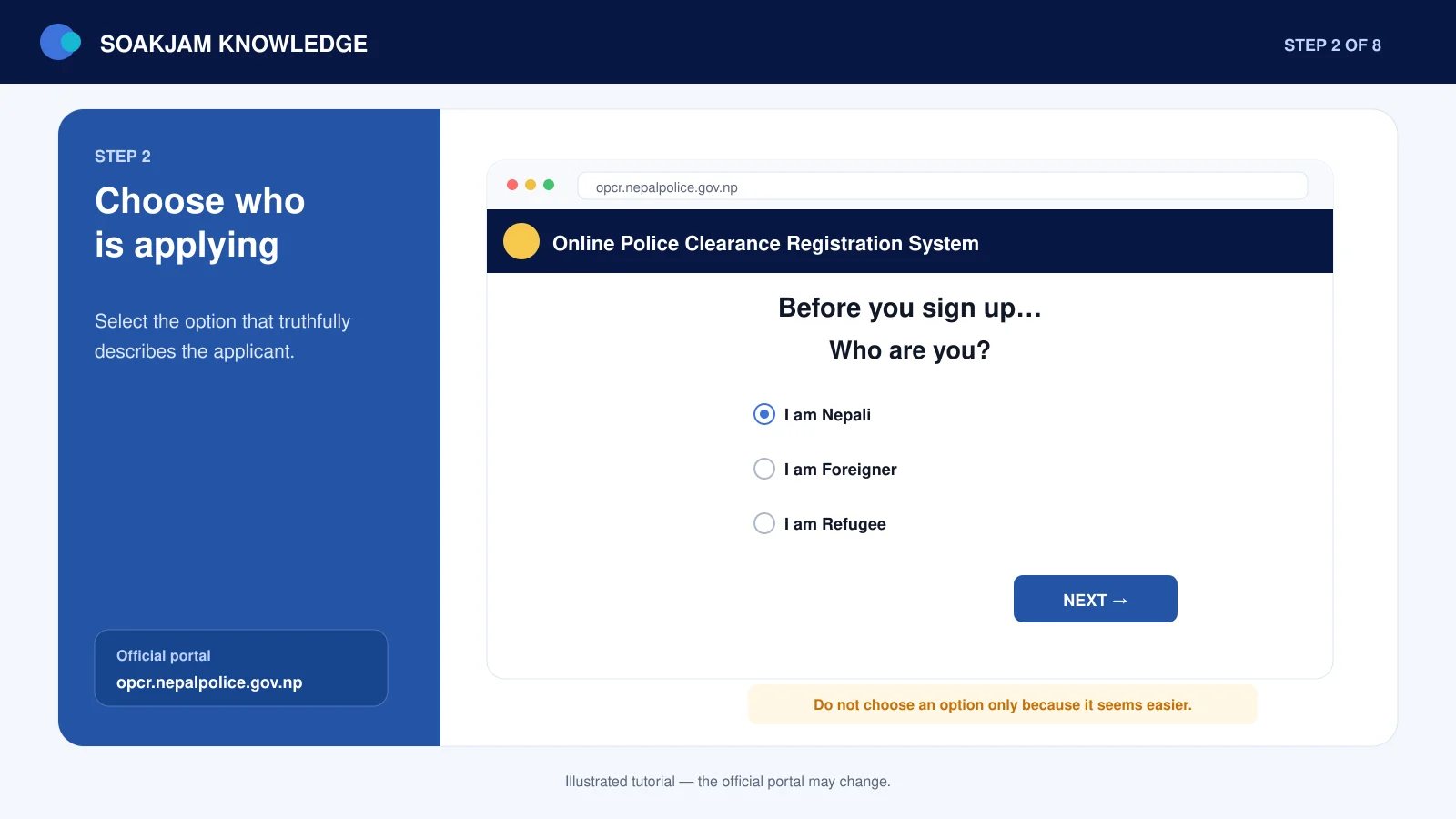
Choose the category that describes the applicant truthfully. Selecting an easier-looking category can create conflicting information and delay the application.
Documents required for a Nepal Police Clearance Certificate
The following checklist reflects the current Nepal Police Crime Investigation Department information. The portal may request additional details for a particular case, so read every upload label before continuing.
| Applicant type | Documents currently listed by Nepal Police |
|---|---|
| Nepali citizen in Nepal | Passport copy; citizenship copy; marriage registration copy if married; one recent passport-size colour photo |
| Nepali citizen abroad | Copies of passport pages 2, 3 and 31; the page showing the latest Nepal Immigration departure stamp; citizenship copy; marriage registration copy if married; one recent passport-size colour photo |
| Foreign applicant | Unexpired passport copy; Nepal Immigration arrival and departure stamps when outside Nepal; valid visa copy when residing in Nepal; one recent passport-size colour photo |
| Refugee applicant | Unexpired refugee travel document; travel document showing Nepal Immigration arrival or departure stamps; refugee card; letter from the related refugee camp; one recent passport-size colour photo |
Do not rely on a cropped document that hides page numbers, stamps, edges or identifying information. If a requested page is blank, follow the portal’s current instruction rather than replacing it with an unrelated page.
Before you start the OPCR application
- Use an email address and mobile number that you can access throughout the application.
- Check the English spelling of your name on the passport and the Nepali details on your citizenship document.
- Prepare both B.S. and A.D. dates of birth where the portal requests them, and confirm that the conversion is correct.
- Scan or photograph documents in colour, with all four corners visible and the text, stamps and photograph readable.
- Use the file type and maximum size displayed beside each live upload field. Do not guess an old limit from another tutorial.
- Ask the receiving employer, embassy, university or authority whether it has any additional requirements.
If you need help understanding upload sizes, see SOAKJAM’s guides to KB, MB and GB and image resolution and upload quality. Reduce an oversized file carefully: a smaller file is useful only if every word, number, stamp and photograph remains clear.
How to apply for a Nepal Police Clearance Certificate online
Step 1: Open the official OPCR portal
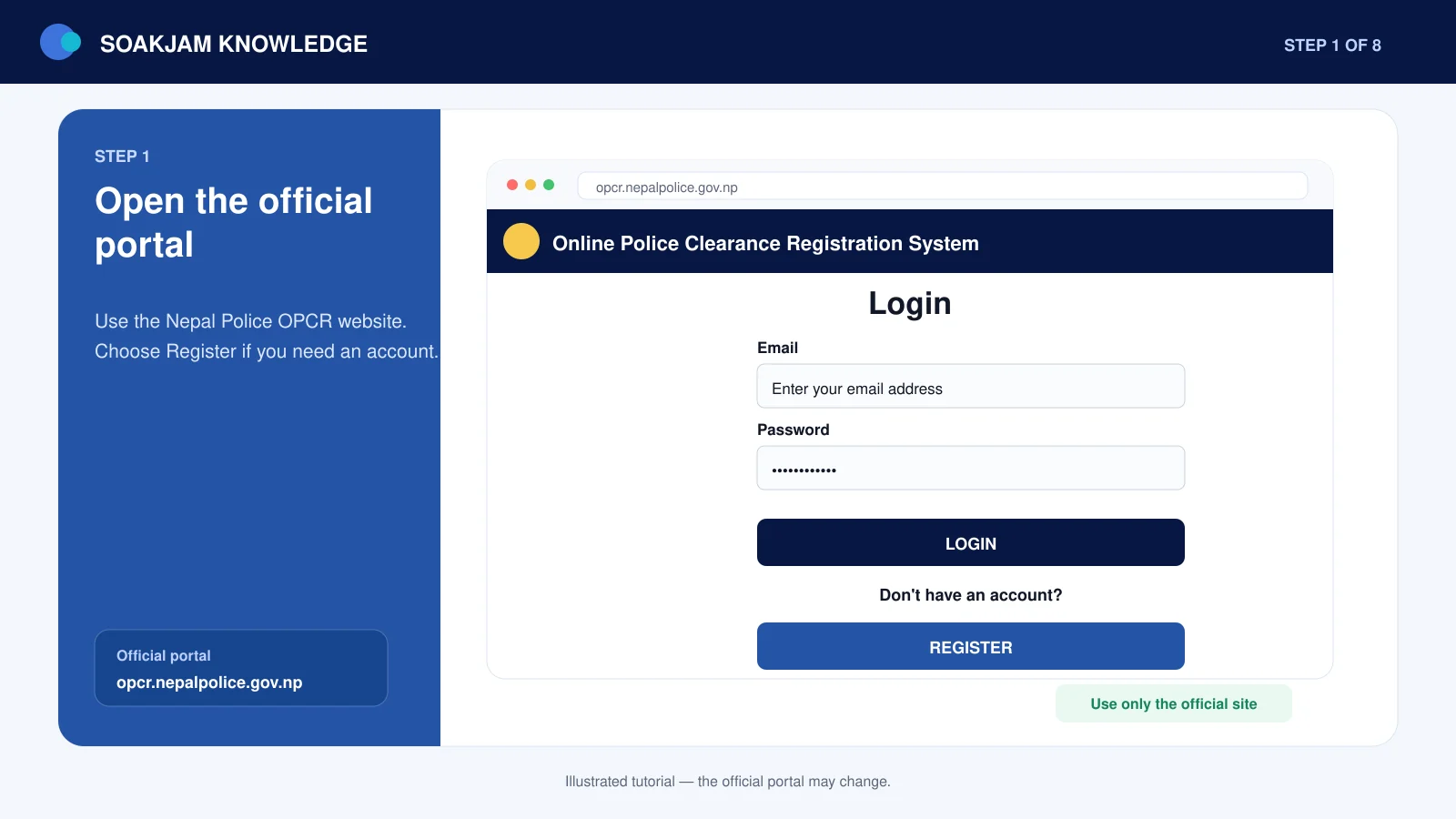
Go directly to opcr.nepalpolice.gov.np. Before entering personal information, confirm that the address bar ends with the official nepalpolice.gov.np domain and that the connection uses HTTPS.
Avoid links sent by unknown agents or social-media accounts. The application contains passport, citizenship and contact information, so a convincing imitation page can cause serious identity theft.
Step 2: Choose the correct applicant type
Select the option that truthfully describes you, such as I am Nepali, I am Foreigner or I am Refugee. If you are Nepali, answer the current-location question accurately because a person living abroad has different passport and departure-stamp requirements from a person living in Nepal.
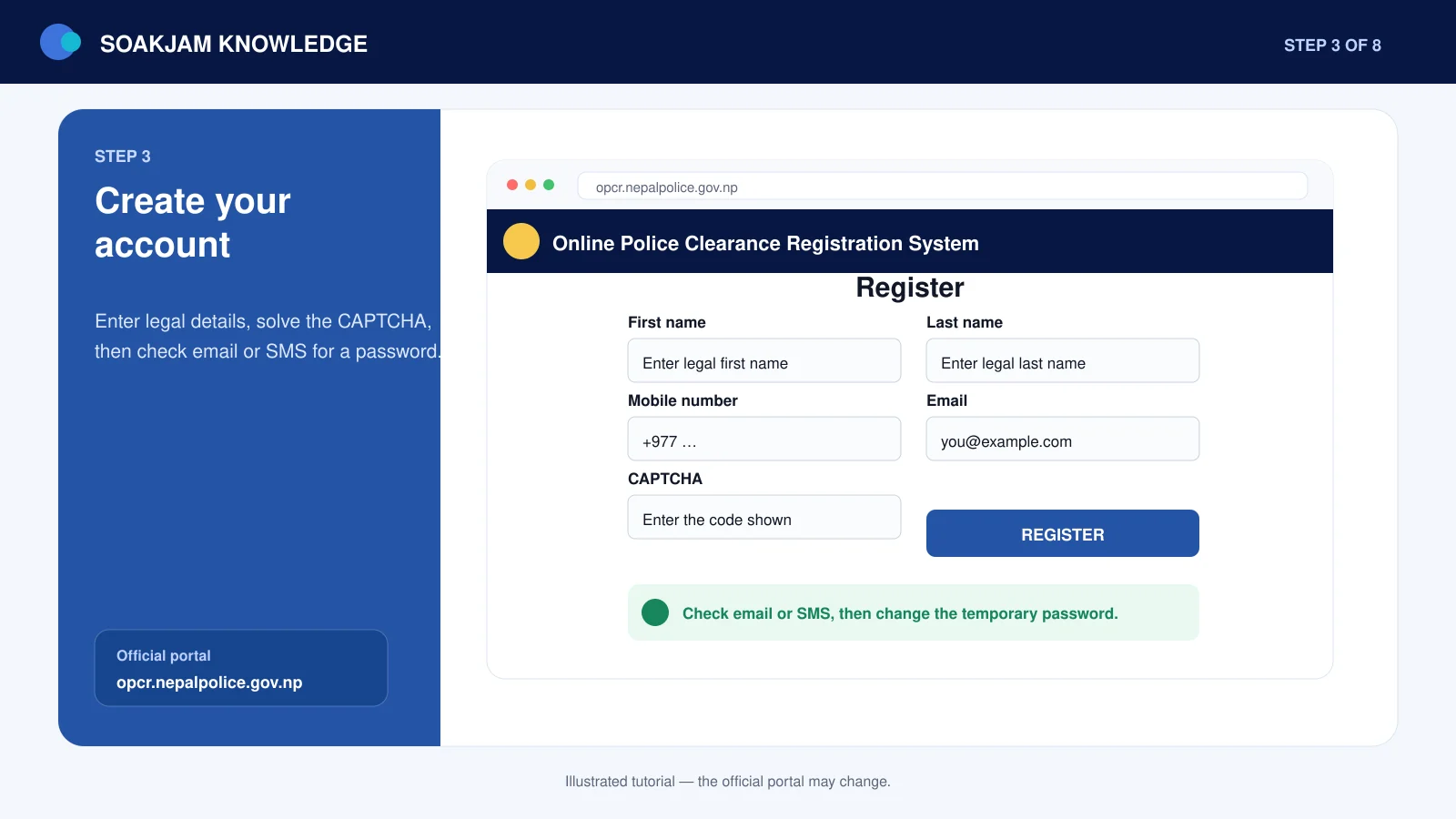
Step 3: Register your OPCR account
Enter the applicant’s legal name and active contact details, complete the security check and follow the portal’s registration instructions. Use the applicant’s own email address whenever possible. If the portal sends a temporary password or verification message, check the inbox, spam folder and the mobile number entered during registration.
Create a strong, unique password when prompted. Do not give the password, verification code or complete document set to an unofficial helper.
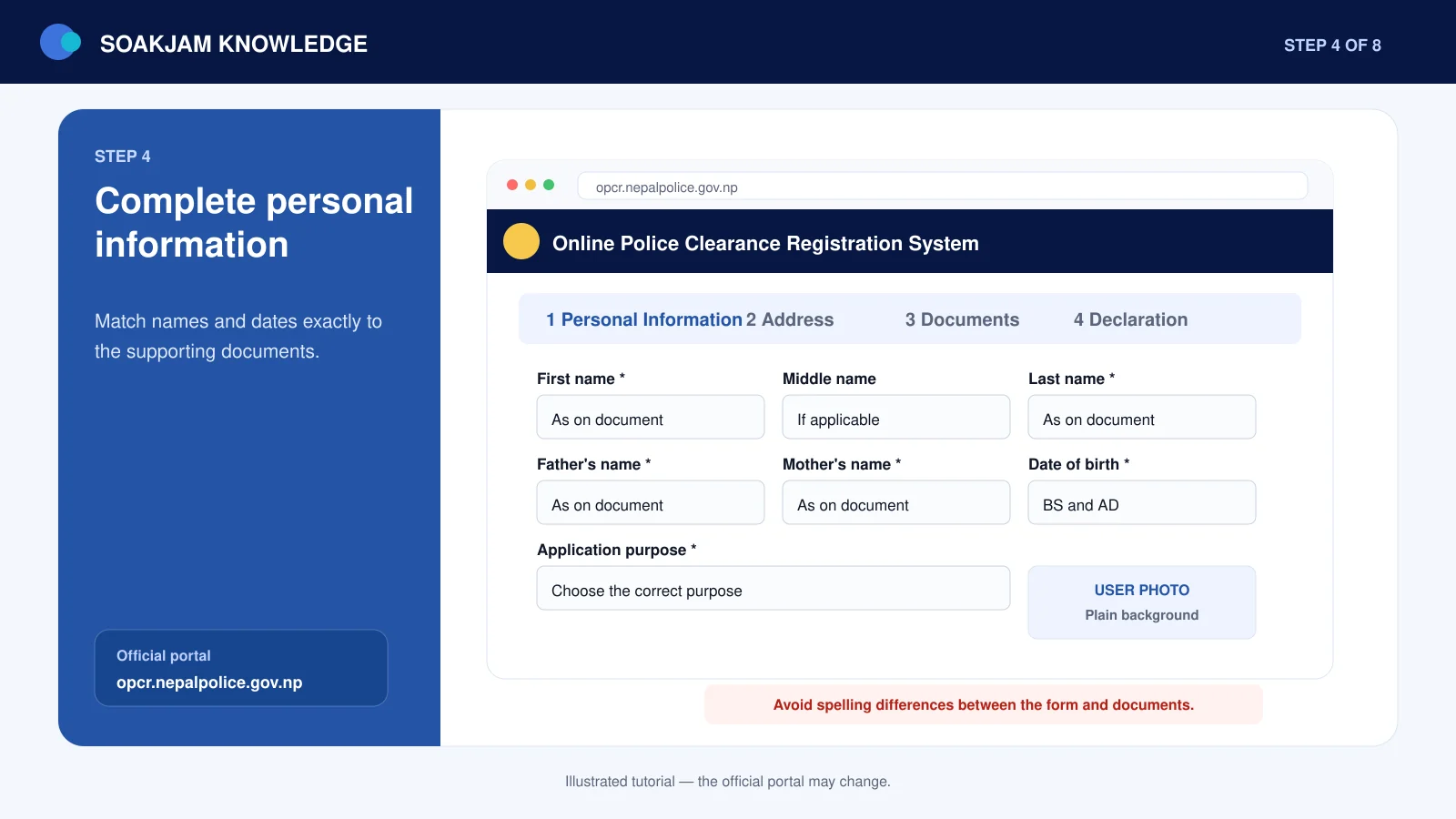
Step 4: Complete the personal-information section
Start a new application and copy information from the original documents rather than relying on memory. Check the applicant’s:
- full legal name and spelling;
- father’s and mother’s names where requested;
- citizenship or passport number;
- B.S. and A.D. dates of birth;
- gender and marital status;
- application purpose; and
- recent colour photograph.
Small differences can matter. An omitted middle name, reversed day and month, or wrong citizenship digit can create a mismatch with the documents used by an employer, embassy or immigration authority.
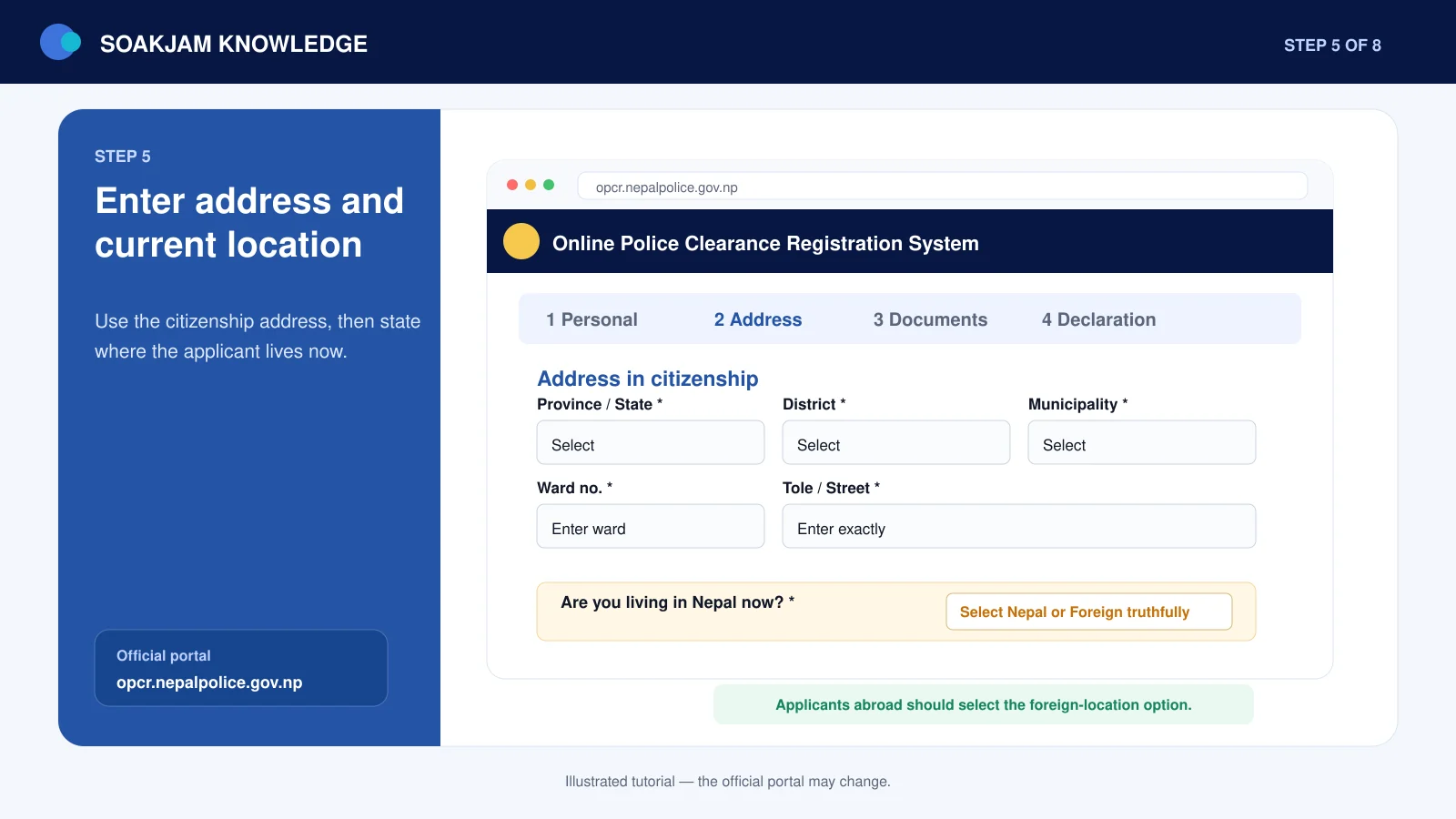
Step 5: Enter the permanent and present addresses
Complete the citizenship address from the document and the newer province-based address wherever the form requests both. The portal may also ask which address format should appear on the certificate. Read the labels carefully instead of putting the same address into every field automatically.
If you currently live outside Nepal, enter the foreign location accurately. Do not mark yourself as living in Nepal simply because the permanent address on your citizenship is in Nepal.
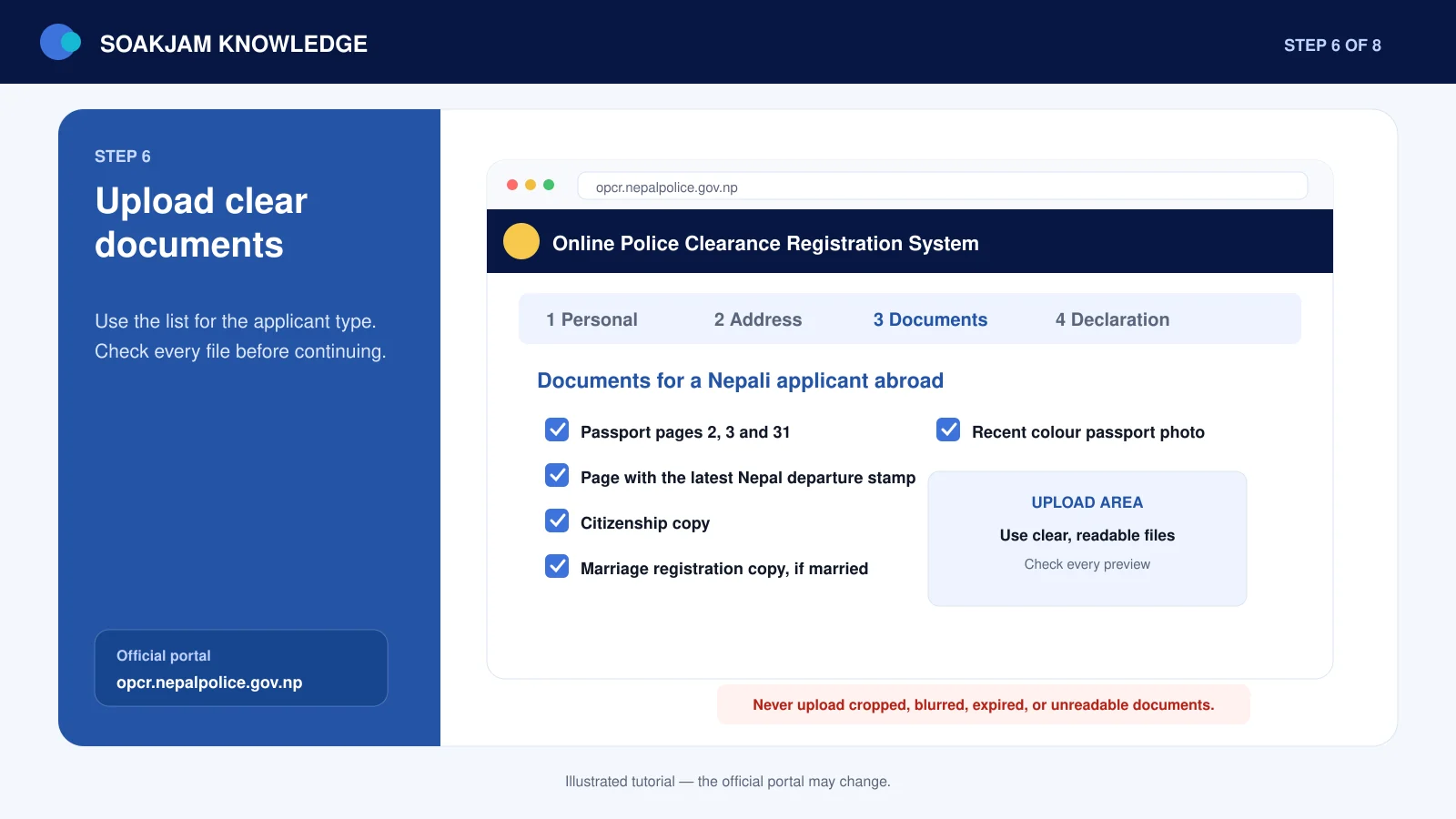
Step 6: Upload the required documents
Upload the files requested for your applicant type and location. After each upload, open the preview and verify that:
- the correct document was selected;
- all four corners are visible;
- the image is upright;
- numbers, names and dates can be read at normal zoom;
- passport and immigration stamps are not covered by glare or fingers; and
- the file has not been compressed until the text became blurry.
Nepali citizens abroad should pay particular attention to passport pages 2, 3 and 31 and the page showing the latest Nepal Immigration departure stamp, because Nepal Police lists these specifically.
Step 7: Complete the declaration honestly
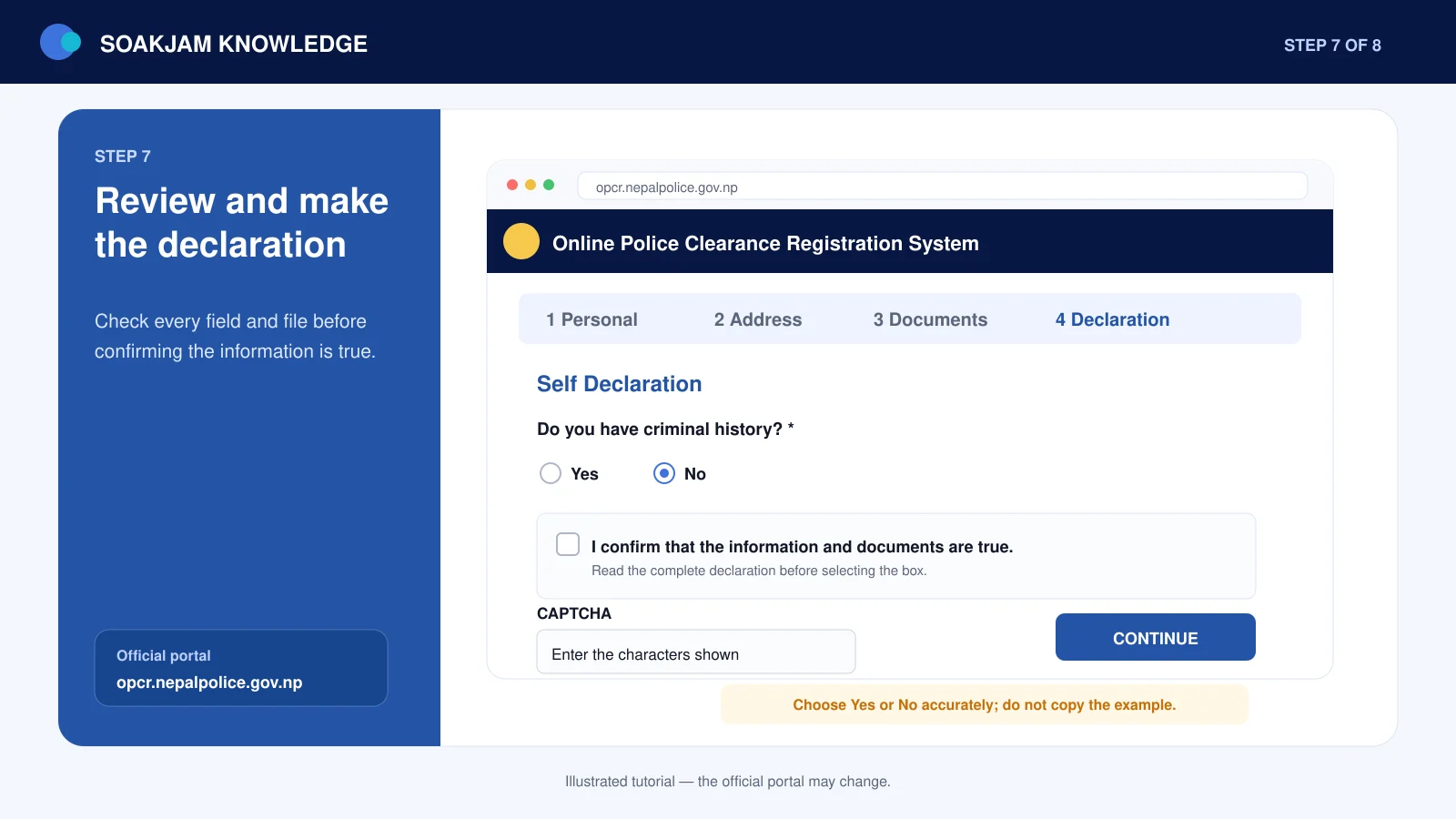
Read the self-declaration and answer any criminal-history question truthfully. A police clearance application is an official request; it is not the place to hide or invent information. Complete the CAPTCHA or other security check yourself and continue only after reviewing the declaration.
Step 8: Review and submit the application
Use the final review screen to compare every important field with the uploaded documents. Check the name, dates, addresses, applicant type, purpose and attachments one last time. Go back and correct any error before selecting the final submit option.
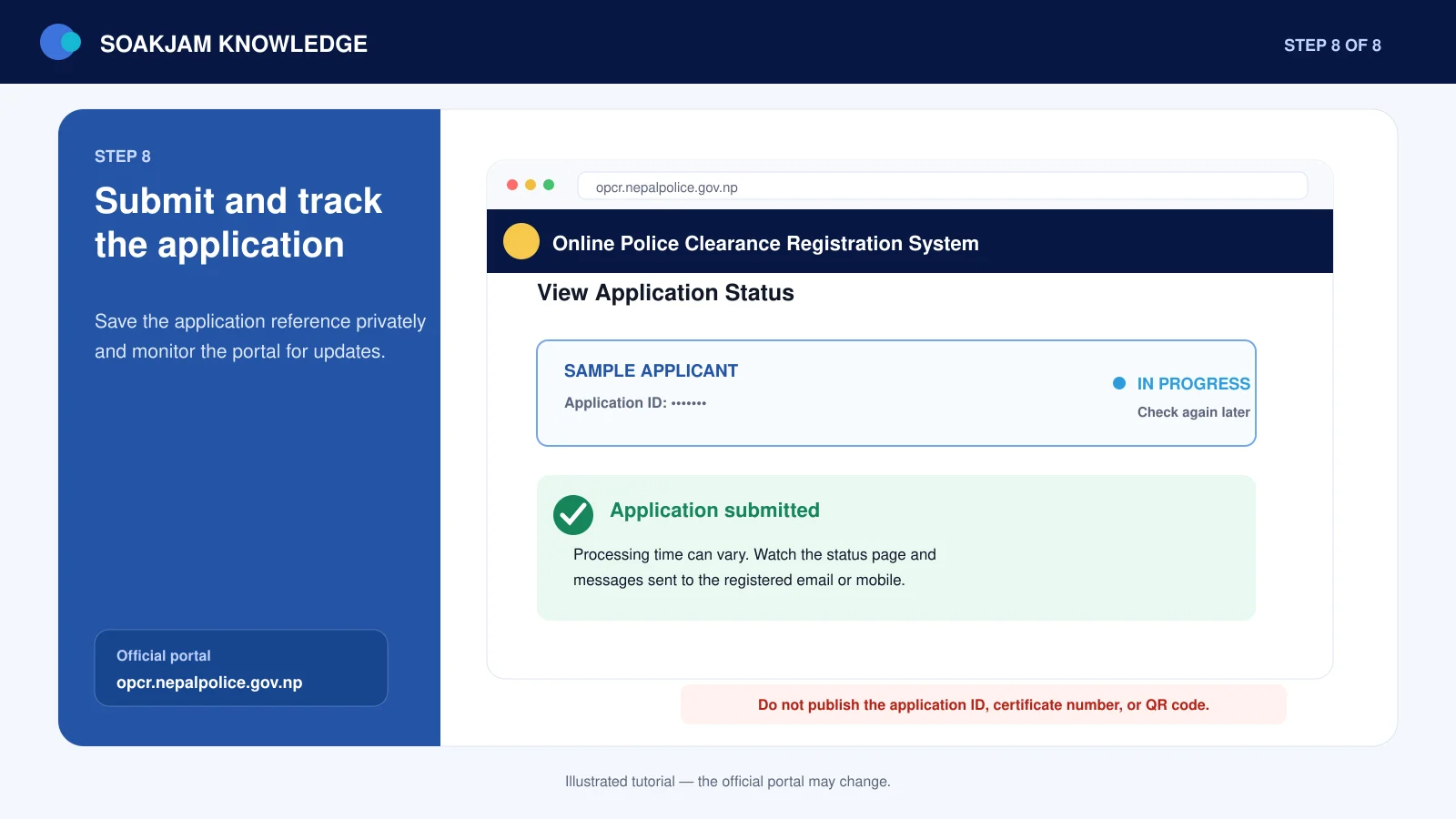
After submission, keep the application ID or reference in a private place. Take a personal screenshot of the confirmation page if useful, but do not post that screenshot publicly.
Step 9: Track the application and download the certificate
Sign in to OPCR and open the application-status area. A newly submitted application may remain under review while Nepal Police checks the information and records. Processing time can vary, so rely on the live status and messages sent to the registered email address or mobile number rather than a fixed promise from another website.
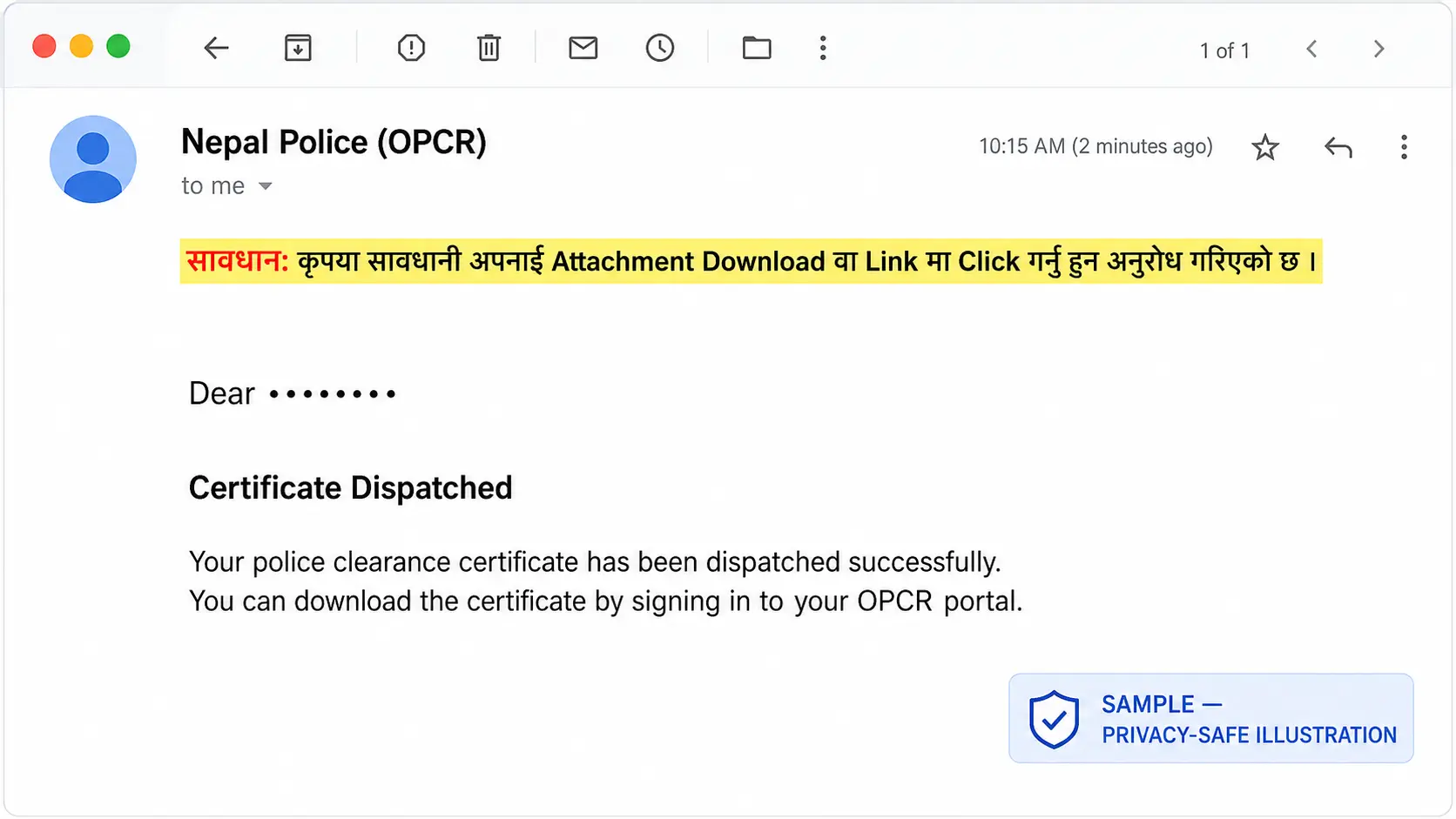
When the certificate is dispatched, OPCR may also send a confirmation email. For safety, do not open unexpected attachments or unfamiliar links from a message. Open the official portal directly in your browser, sign in and confirm the status inside your account.
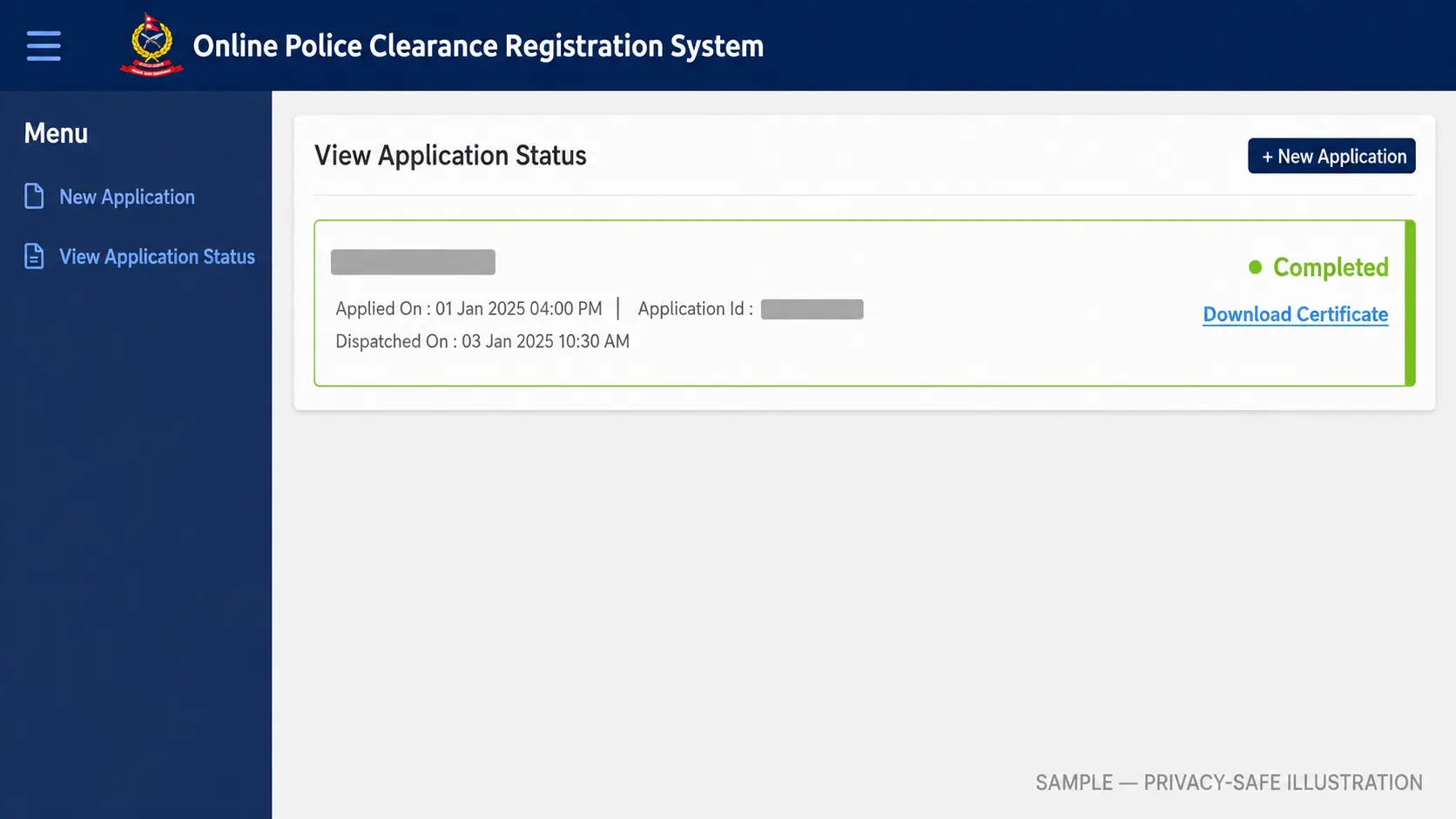
When the portal shows that the certificate is available, download the official file and store an unmodified copy. Check the name, date of birth, passport or citizenship details and other printed information before sending it to anyone.
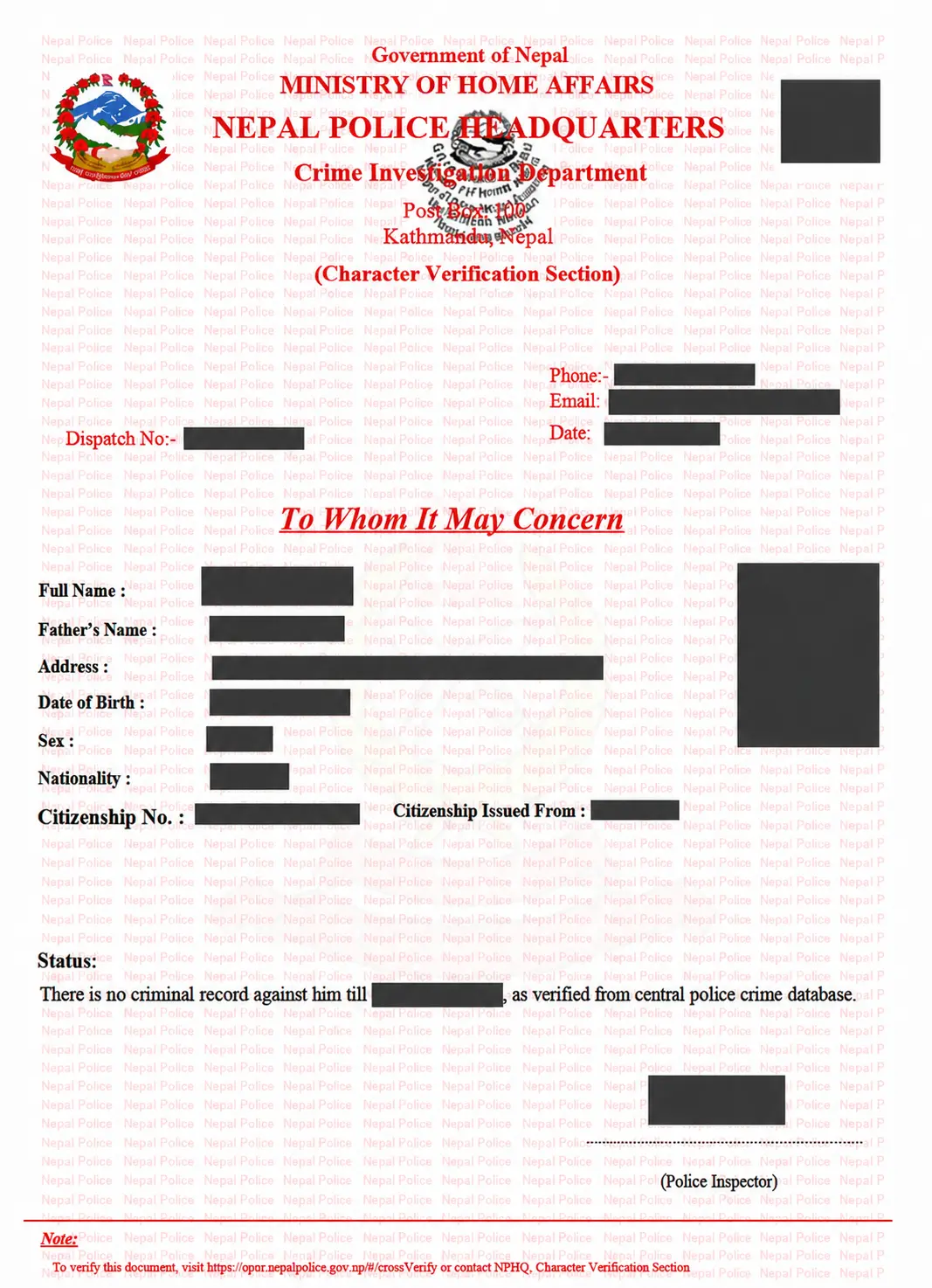
What the application status may mean
| Status or situation | What to do |
|---|---|
| Draft or not submitted | Complete the missing sections and make sure the final submission was confirmed. |
| In Progress or under review | Wait and monitor the account, email and mobile number. Do not create a duplicate application only because the review is taking longer than expected. |
| Correction requested | Read the reason, correct the specified field or file and resubmit through the existing application when the portal allows it. |
| Rejected | Check the stated reason. Contact official OPCR support if the required next action is unclear. |
| Completed or available for download | Download the certificate, verify every printed detail and keep the original digital file secure. |
The exact wording can change. Treat the explanation shown inside your OPCR account as authoritative for your application.
Common problems and practical fixes
The registration message or temporary password did not arrive
Check the spam and junk folders, confirm the email spelling and review the entered mobile number. Wait briefly before requesting another message. Use the portal’s password-recovery option if available rather than creating multiple accounts.
A document will not upload
Read the accepted file type and maximum size beside that upload field. Rename the file using simple letters and numbers, make sure the extension matches the real format, and reduce the size only enough to meet the limit. If the portal is temporarily unresponsive, keep your prepared files and try again later instead of repeatedly submitting.
The citizenship address uses an old administrative format
Enter the old address exactly where the form asks for the address from the citizenship document. Add the current province, district and local-level information in the newer-address fields where requested. Do not silently rewrite the citizenship record.
The application stays in progress
There is no safe universal processing-time promise. Reviews can differ depending on the application and any verification required. Continue checking the portal and registered messages. If the delay is unusual or the status gives no useful instruction, contact official OPCR support with the application reference.
The certificate contains incorrect information
Do not edit the PDF yourself. An altered official document may be rejected. Contact Nepal Police or follow the current OPCR correction or reapplication process. Resolve the mistake before requesting attestation or sending the certificate to another authority.
Do you need consular attestation?
Obtaining a police clearance certificate and getting it attested are separate processes. Some foreign employers, embassies or government authorities may ask for consular attestation, while others may accept the certificate without it. Ask the receiving organization exactly what it requires.
If attestation is required, use the current instructions from Nepal’s Department of Consular Services. Government attestation systems and payment steps can change, so do not follow an old payment screenshot without checking the current official site.
Privacy and safety checklist
- Use only the official
nepalpolice.gov.npportal for the application. - Never send your password, verification code or CAPTCHA answer to another person.
- Do not post passport pages, citizenship images, application IDs, certificate numbers or QR codes on social media.
- Avoid completing the application on a public computer. If you must use one, sign out and remove downloaded documents afterward.
- Keep the original downloaded certificate unchanged and send it only to the organization that genuinely requested it.
- Be cautious of agents promising guaranteed approval or unusually fast processing.
Frequently asked questions
Can a Nepali citizen apply while living abroad?
Yes. Nepal Police publishes a specific document list for Nepali citizens abroad. It currently includes passport pages 2, 3 and 31, the page showing the latest Nepal Immigration departure stamp, citizenship, marriage registration if married and a recent colour photograph.
Is a passport required for a Nepali applicant?
The current Nepal Police list includes a passport copy for Nepali citizens in Nepal and specific passport pages for Nepali citizens abroad. Check the live document list before applying in case the requirement changes.
How long does the online police clearance take?
According to the current Nepal Police FAQ, when an applicant’s details do not match a suspicious person’s record, the Police Clearance Certificate is normally available within 2–3 days after submission, excluding public holidays. This is an official estimate, not a guaranteed deadline. Applications requiring verification, correction or additional review may take longer.
How long is a Nepal Police Clearance Certificate valid?
The organization receiving the certificate usually decides how recent it must be. An employer, embassy, licensing body or immigration authority may apply its own acceptance period. Confirm that requirement before applying too early.
Can I edit a downloaded certificate to correct a mistake?
No. Do not alter an official certificate. Contact Nepal Police and follow its current correction or reapplication instructions.
Where can I get official help?
The Nepal Police clearance information page currently lists chalchalan@nepalpolice.gov.np, telephone +977 01-5719865 and mobile 9851285920. It lists office hours of Sunday to Thursday, 10:00 a.m. to 5:00 p.m., and Friday, 10:00 a.m. to 3:00 p.m., Nepal time. Check the official page for holiday closures or later changes.
Final checklist before submission
- The applicant type and present location are correct.
- The name, dates and document numbers match the originals.
- All required passport, citizenship, visa, marriage or refugee documents are included.
- Every upload is upright, complete and readable.
- The declaration is truthful.
- The contact email and mobile number are accessible.
- The application reference will be stored privately after submission.
A careful application is more useful than a rushed one. Prepare the documents first, compare every field with the originals and use the official portal for status updates. If the receiving organization needs attestation or a certificate issued within a particular period, confirm that requirement separately.
Official sources
- Nepal Police Online Police Clearance Registration System
- Nepal Police Crime Investigation Department: Police clearance information and document list
- Nepal Police frequently asked questions
- Department of Consular Services, Nepal
Transparency
Sources & references
Editorially reviewed
Editorial information
SOAKJAM articles are designed for clarity, useful context and transparent sourcing. Important facts should be checked against the linked primary sources.
Found an error, outdated detail or a useful source we should consider?