
If you have applied for a new or renewed Kuwait Civil ID, you can check Kuwait Civil ID status online before travelling to a PACI office or collection centre. The official Public Authority for Civil Information (PACI) service shows whether the physical card is still being processed, ready for collection or needs another action.
This guide uses genuine mobile screenshots from the PACI process. All Civil ID and envelope numbers are hidden. The final “card ready” result is clearly identified as a recreated example because a privacy-safe real ready-result screenshot was not available.
Quick answer: To check Kuwait Civil ID status online, open the official PACI Card Status service, enter your Civil ID number or envelope number, and press Submit. Read the complete result. If the card is ready, PACI may provide a collection location and machine number for your record.
Last checked against the official PACI and Kuwait Government Online services on 21 August 2026. Government pages, messages and collection instructions can change, so follow the current result shown for your own record.
Before You Check the Card Status
Prepare one of the numbers accepted by the PACI form:
- your Civil ID number; or
- the envelope number connected to the application.
If you are a new resident and do not yet know your Civil ID number, first follow How to Find Your Kuwait Civil ID Number Using the MOI Number.
Keep the number private. A typing error can produce a validation message; if the digits happen to form another valid number, stop and check your document rather than relying on a result that may not belong to you.
How to Check Kuwait Civil ID Status Online
Step 1: Open a trusted browser
Open Chrome, Safari or another current browser on your phone. You can perform the same inquiry from a tablet or desktop computer.
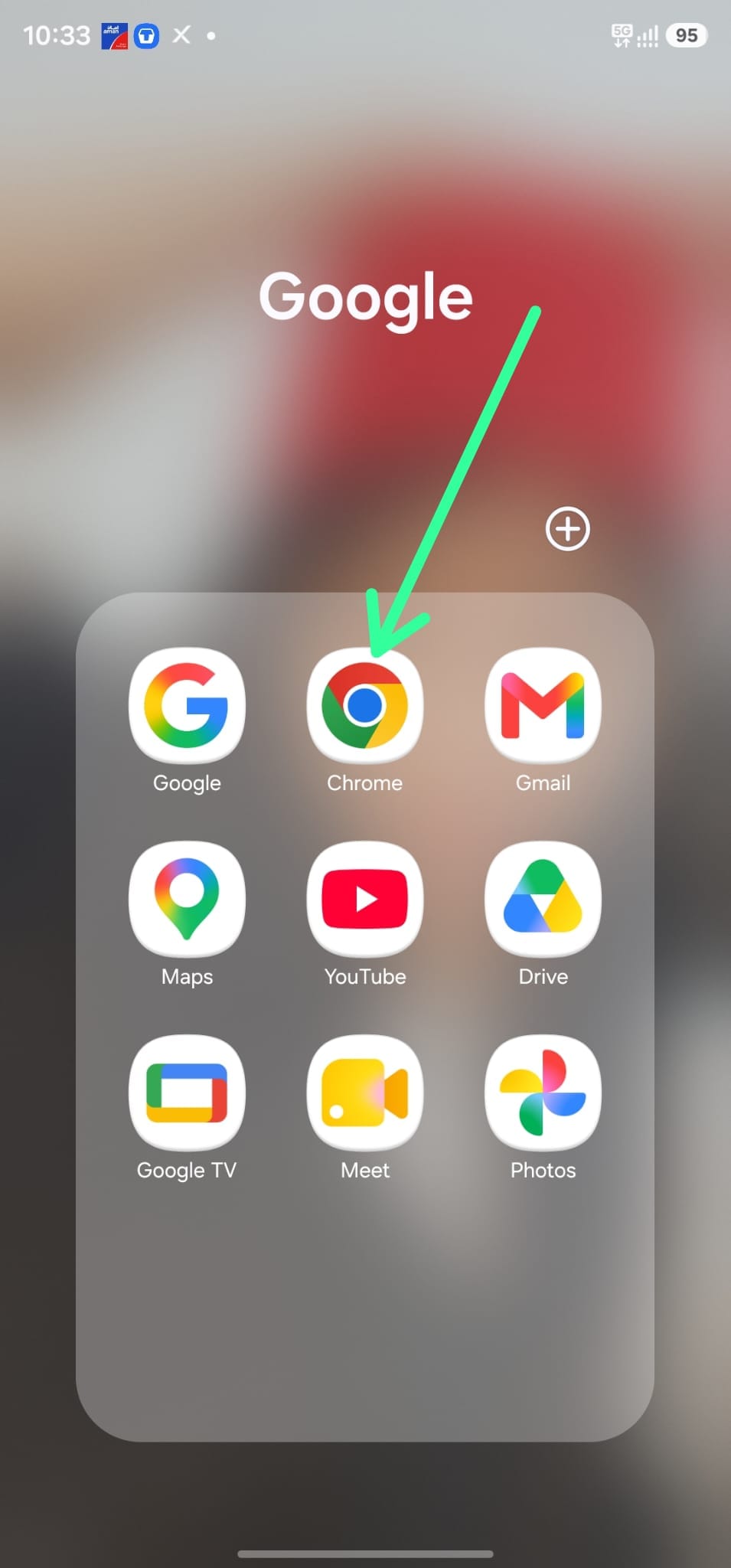
Step 2: Search for PACI or use the direct link
Type PACI in Google, or open the official PACI Card Status page directly. A direct official link avoids advertisements and similarly named websites.
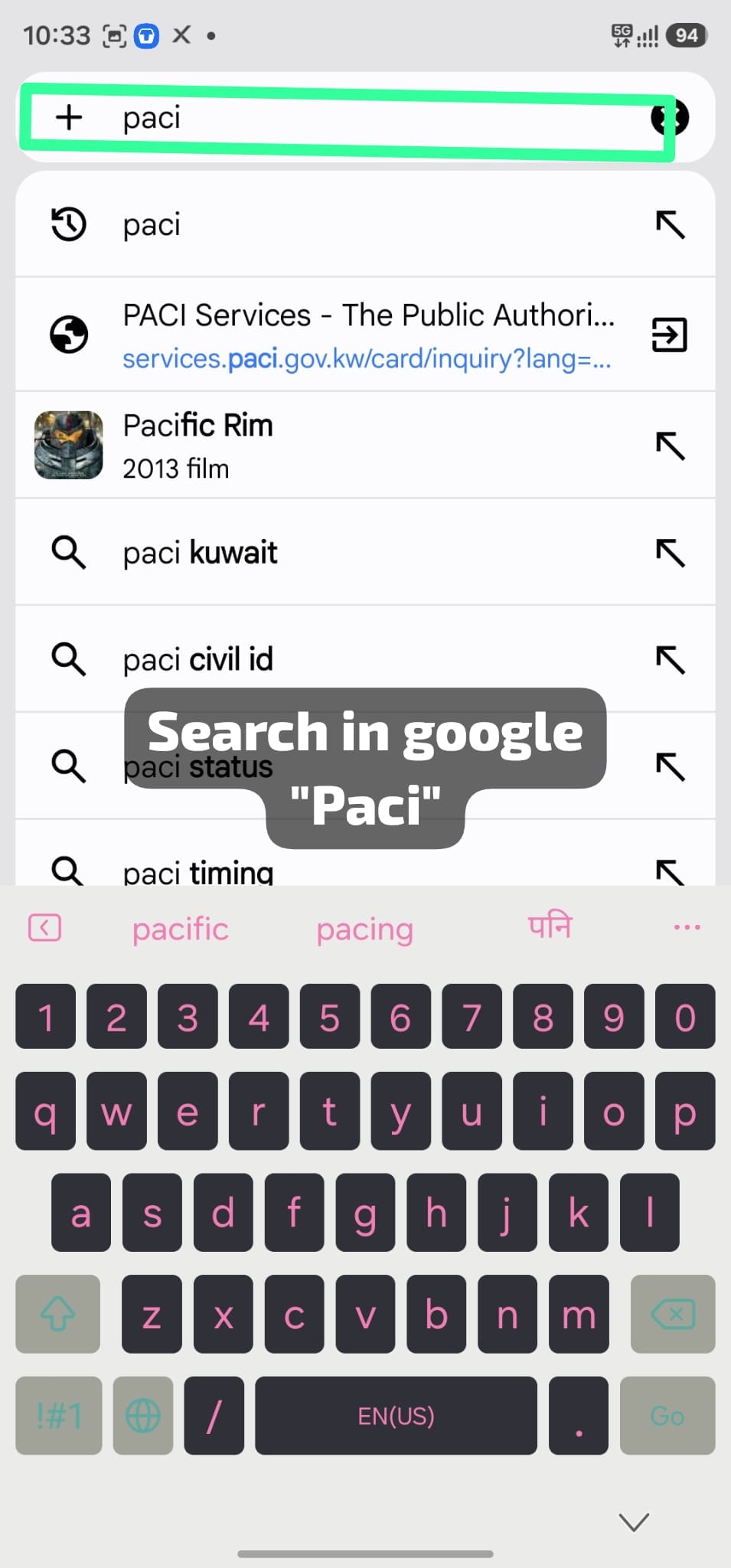
Step 3: Confirm the official domain
Choose the PACI Services result only after checking its address. The official service uses services.paci.gov.kw. Do not enter a Civil ID number on an unknown domain, sponsored advertisement or copied page.
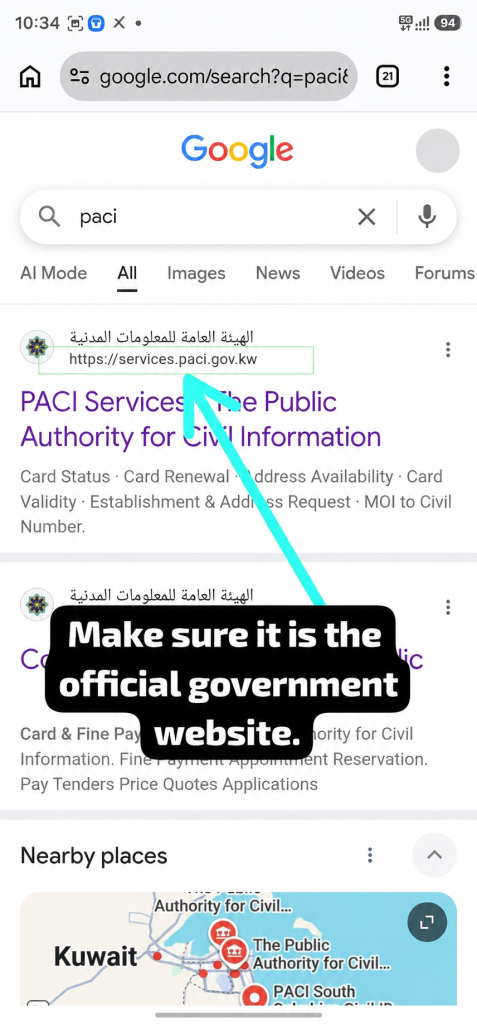
Step 4: Select Card Status
On the PACI Services page, choose Card Status. Do not select Card Validity, Card Renewal or MOI to Civil Number; those services answer different questions.
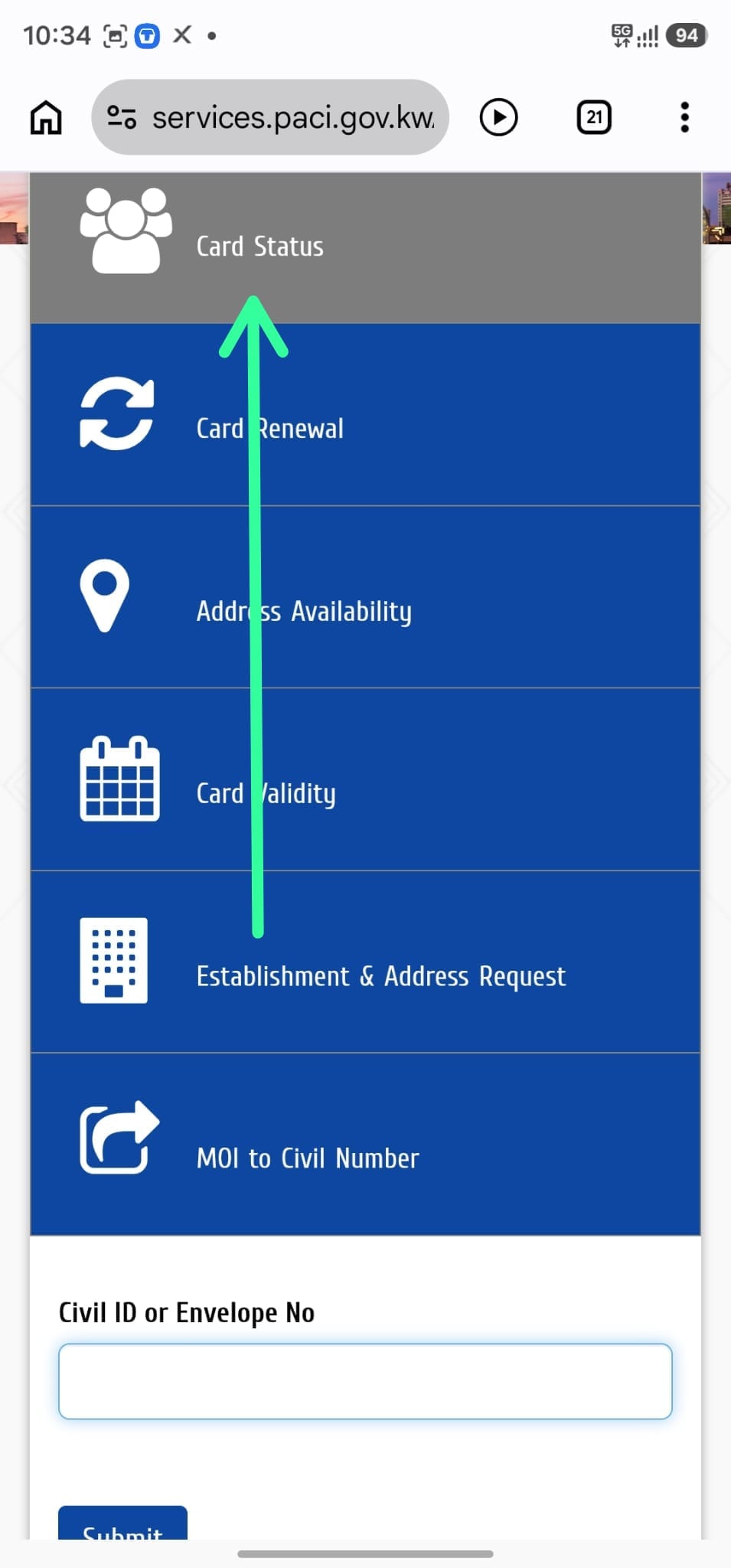
Step 5: Enter the Civil ID or envelope number
The form is labelled Civil ID or Envelope No. Enter the correct number without extra spaces, check the digits once more, and press Submit.
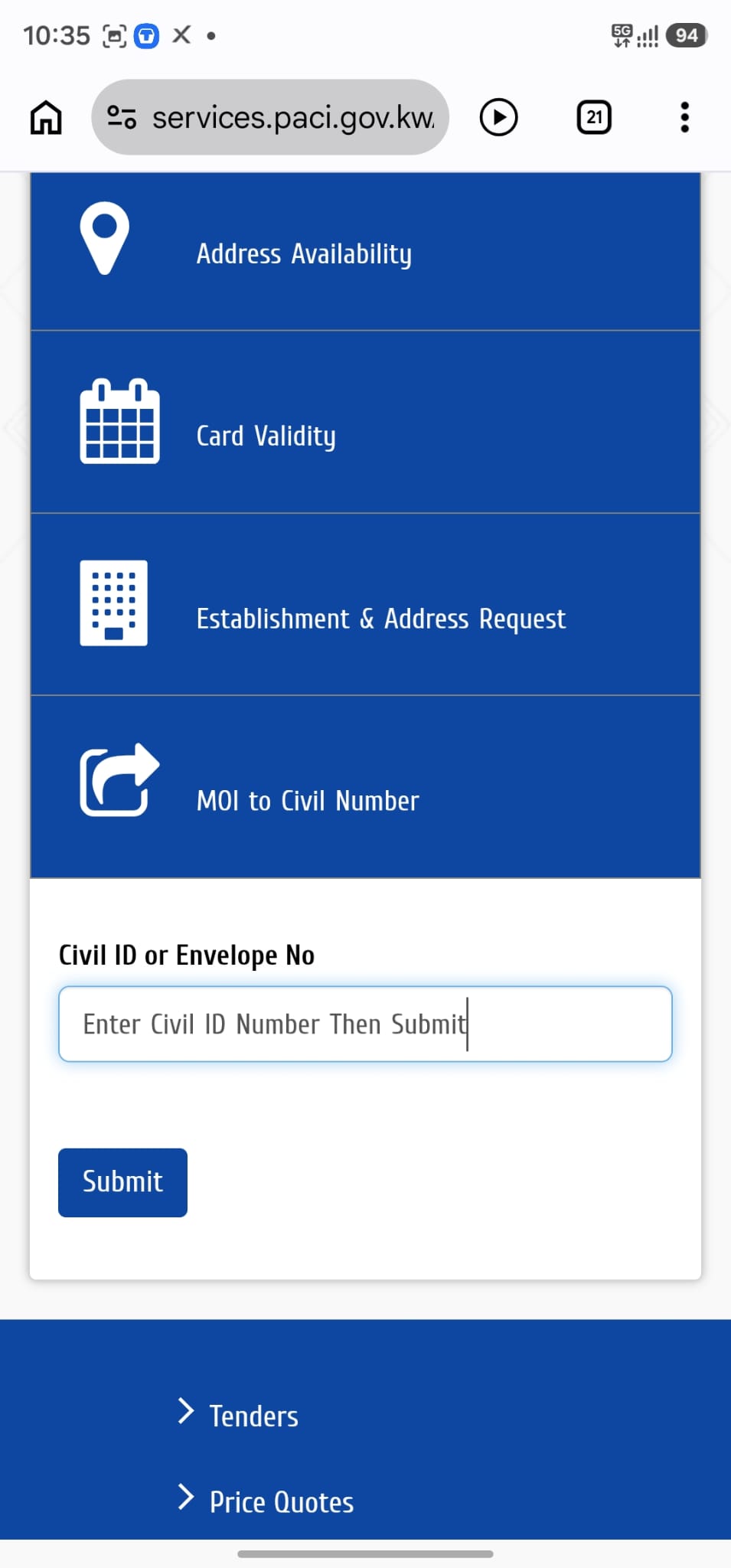
After you check Kuwait Civil ID status online, PACI displays the response below the form. Read every line because the message may say the card is ready, still processing, awaiting a renewal request or unable to complete the inquiry.
Watch the Quick Video Guide
The Short demonstrates the same mobile steps. Continue with the written guide afterward to understand what each PACI response means.
Watch the Kuwait Civil ID card-status Short on YouTube.
How to Understand the PACI Result
Result 1: Validation Failure — Not a Valid Civil Number
This response usually means the number was entered incorrectly or is not recognised by the record used for this inquiry. Check every digit, confirm that you entered a Civil ID or envelope number, and try again once.

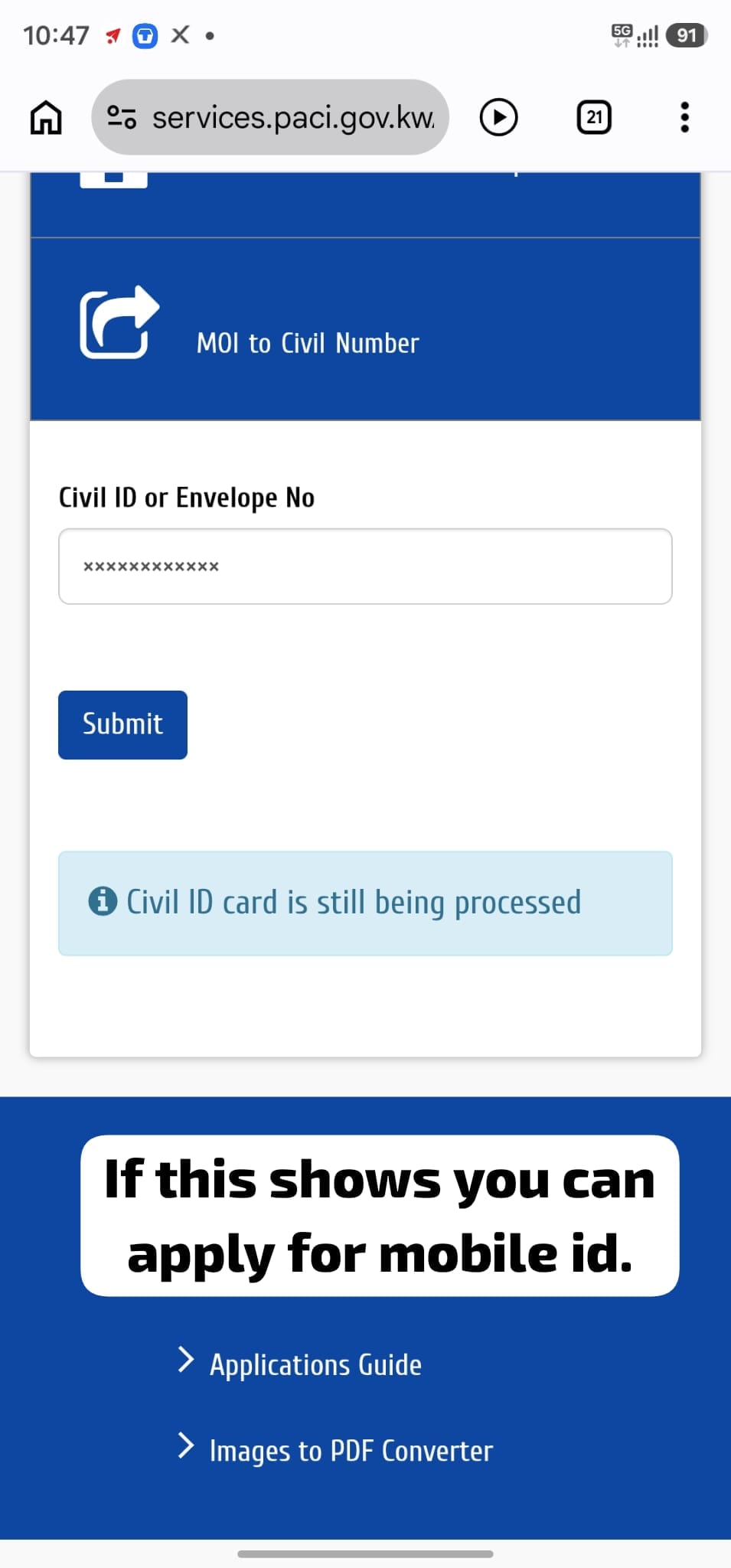
Result 2: Civil ID Card Is Still Being Processed
The physical card is not ready for collection yet. Wait before checking again; repeatedly pressing Submit does not speed up card production.
PACI’s official Kuwait Mobile ID FAQ says new residents can register through the mobile-phone option without having the physical card. Availability still depends on the required record and app checks, so follow the current app instructions. SOAKJAM’s published Kuwait Mobile ID registration guide explains that process.
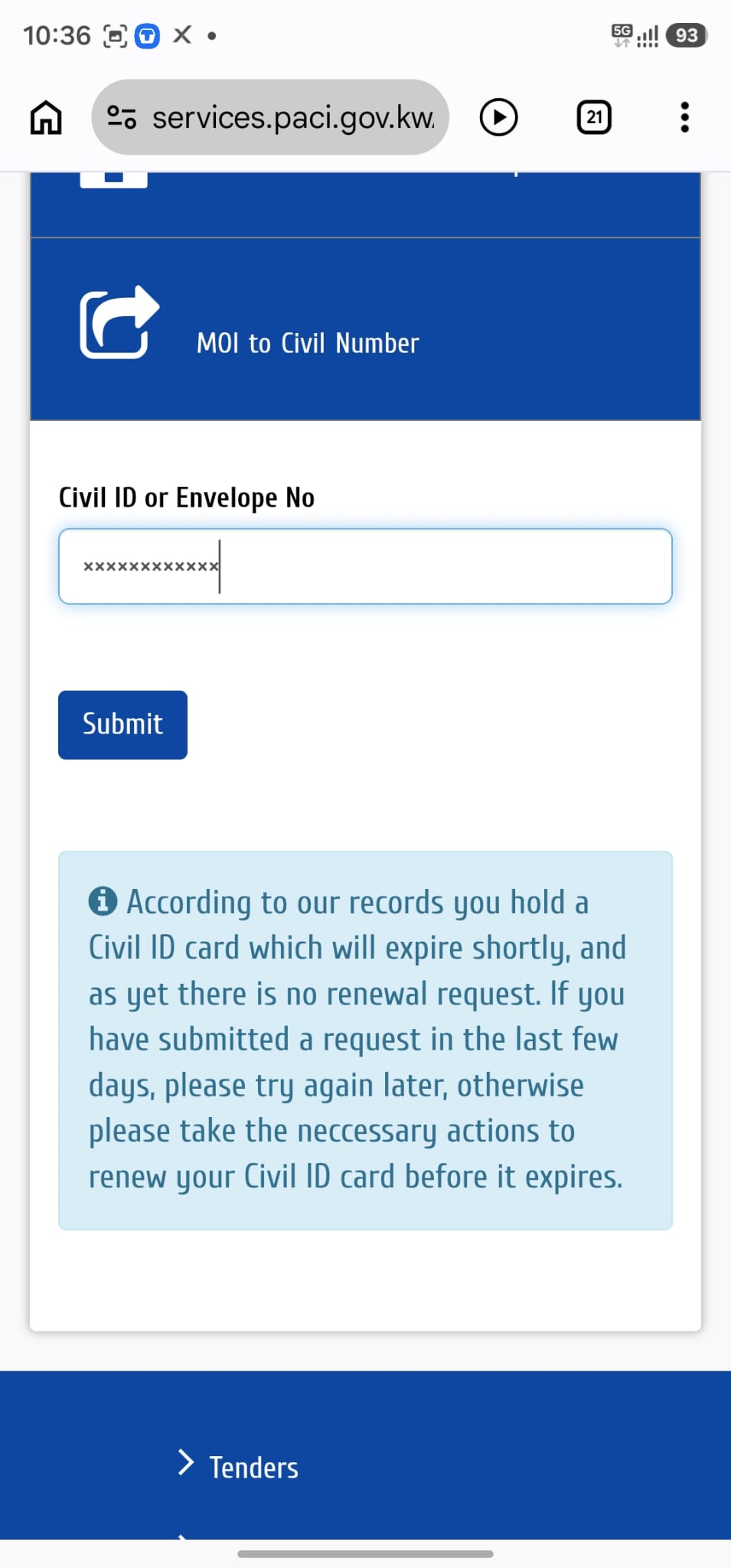
Result 3: The Card Will Expire Soon and No Renewal Request Is Found
This message does not say that a new card is ready. PACI found an existing card that will expire soon but did not find a renewal request. If the renewal was submitted only recently, wait and check again. Otherwise, use the current official renewal process for your situation.
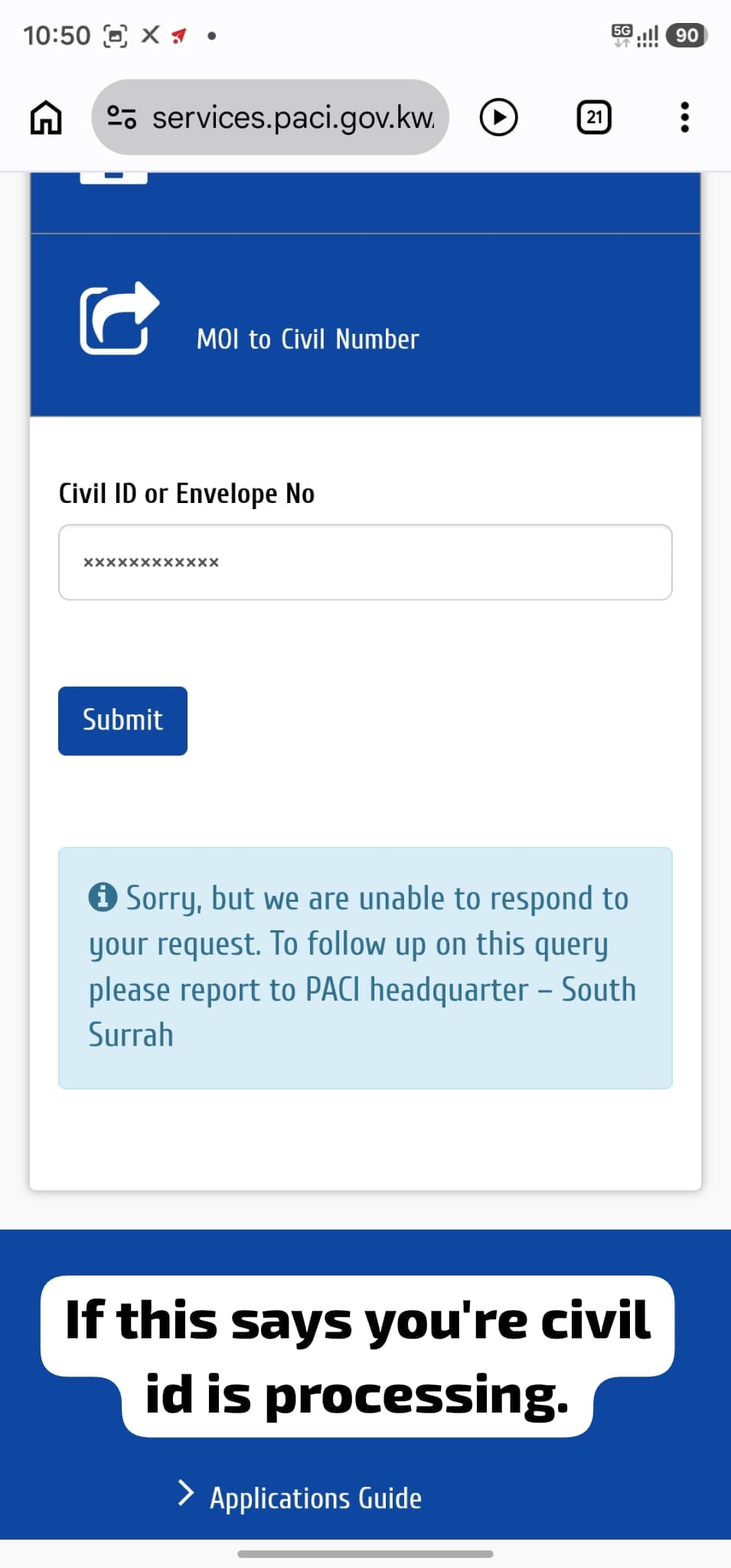
Result 4: PACI Is Unable to Respond
Follow the instruction in your own result. The sample screenshot asks that user to follow up at PACI headquarters in South Surrah, but another record may show a different instruction. Do not travel to a location solely because it appears in this example.
Result 5: Your Civil ID Card Is Ready
A ready response may include the collection location and machine number. Save the details from your own result and use those current instructions. Do not assume that another person’s centre or machine number applies to you.
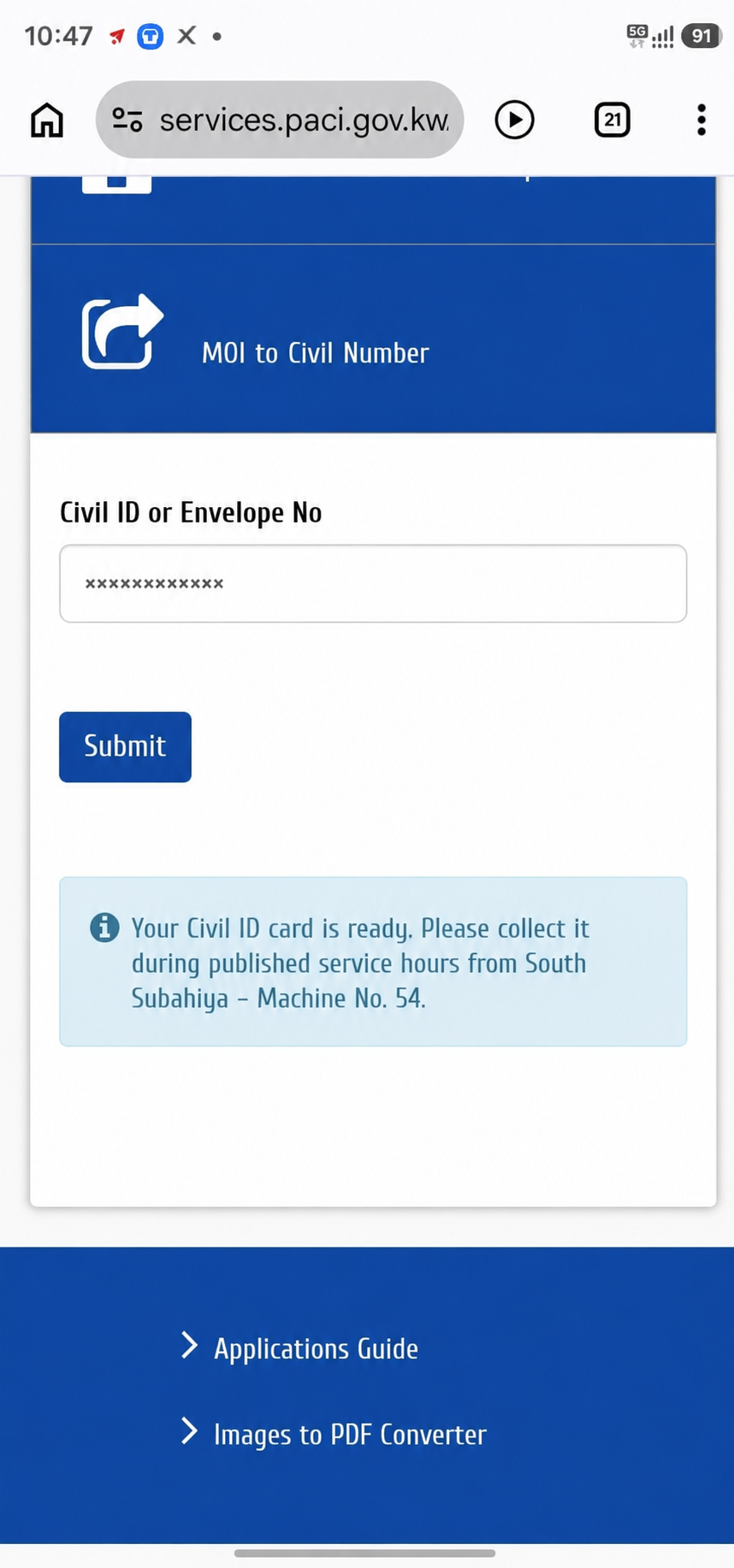
Recreated example: The image above recreates the PACI result layout and uses a genuine ready notification only as a wording reference. South Subahiya — Machine No. 54 is an example, not a collection instruction for every reader.
Card Status, Validity and Renewal Are Different
| PACI service | Use it when you need to know | Common information requested |
|---|---|---|
| Card Status | Whether the physical card is processing or ready | Civil ID or envelope number |
| Card Validity | Whether an existing Civil ID card is currently valid | Card serial number |
| Card Renewal and Payment | Whether renewal or card fees need attention, and to complete the relevant process | Civil ID and any other details PACI requests |
| MOI to Civil Number | Which Civil ID number matches an MOI or unified number | MOI or unified number |
For example, someone may finish a renewal but still wait for the new physical card. That person should check Kuwait Civil ID status online to follow production. Someone who does not yet know the Civil ID number should use MOI to Civil Number first.
What to Do If the Card Is Delayed
If you check Kuwait Civil ID status online and the result remains unchanged, review these points before making an unnecessary trip:
- Check the Civil ID or envelope number again.
- Confirm that the required application, renewal and fee payment were completed.
- Check whether PACI requested a photo, address or document update.
- Wait before checking again because online records and physical production may not update simultaneously.
- If the message continues or tells you to visit, use the contact information on PACI’s official website. PACI currently displays 1889988 on its service pages.
An employer, representative or typing centre may assist with an application, but the final card-status result should be confirmed through PACI’s official system.
Privacy and Safety
- Use a page on
paci.gov.kw, or begin through the officiale.gov.kwportal. - Do not pay someone merely to perform this free status inquiry.
- Never approve an unexpected Kuwait Mobile ID request or share an OTP, bank-card detail or account password.
- Hide Civil ID numbers, serial numbers, addresses, profile photos and collection details before sharing screenshots.
- Close the page after using a shared phone or computer.
Need a PDF Copy of Your Civil ID?
If a verified office asks for the front and back images in one PDF, the SOAKJAM Images to PDF tool can combine them. Create or share a copy only when it is genuinely required, confirm the recipient and remove unnecessary copies from shared devices.
Frequently Asked Questions
Can I check Kuwait Civil ID status online without signing in?
Yes. The PACI Card Status page provides a direct inquiry field and does not require an account for the process shown here.
Can I enter an envelope number?
Yes. The official PACI field is labelled Civil ID or Envelope No.
Does “card ready” mean my residency is valid?
Not necessarily. Card readiness concerns production of the physical Civil ID. PACI provides a separate Card Validity inquiry, while residency questions belong to the relevant government service.
Where is the collection location?
When the card is ready, the result may show the collection centre and machine number. Follow the information displayed for your own Civil ID rather than an example from this article.
Can I register Kuwait Mobile ID while the card is processing?
PACI says new residents can use the mobile-phone registration option without having the physical card. The required identity record and app checks must still succeed. Follow the current app instructions and the linked SOAKJAM Mobile ID guide.
Is card status the same as renewal?
No. Renewal updates or reissues the card. Card status reports the progress or readiness of the physical card after the relevant application steps.
Final Reminder
Use PACI’s official service to check Kuwait Civil ID status online. Enter the correct Civil ID or envelope number, read the entire response, protect your personal information, and follow the collection location and machine details shown for your own card.
Transparency
Sources & references
- Public Authority for Civil Information (PACI) — Card Status
- Kuwait Government Online — Inquiring about Civil ID Status
- Kuwait Government Online — Inquiring about Civil ID Validity
- Kuwait Government Online — Multi-Civil ID renewal and payments
- Public Authority for Civil Information (PACI) — Kuwait Mobile ID FAQs
Editorial review pending
Editorial information
SOAKJAM articles are designed for clarity, useful context and transparent sourcing. Important facts should be checked against the linked primary sources.
Found an error, outdated detail or a useful source we should consider?